

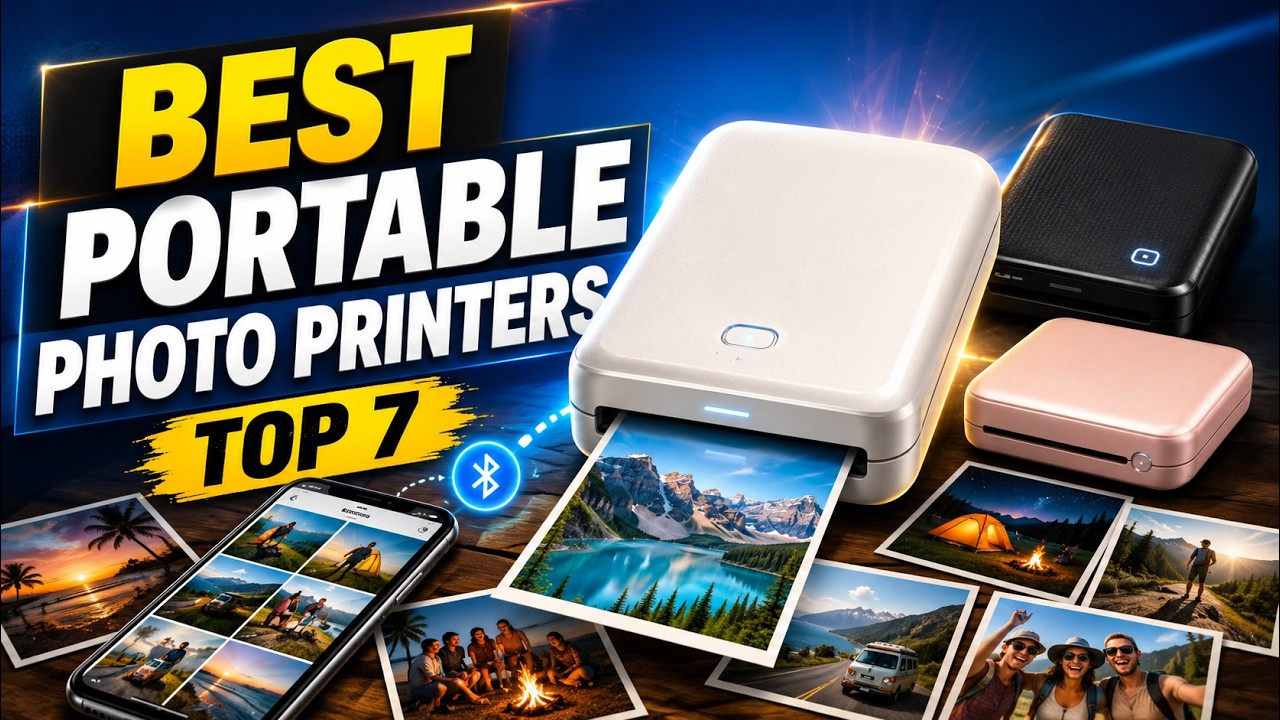
Camping weekends, road trips, hikes and beach sunsets fill a camera roll fast, but most of those photos never leave your phone. A portable photo printer turns them into something you can hold: a print for a travel journal, a sticker for your cooler, or a keepsake to hand a friend before everyone heads home.
This guide compares the best portable photo printers based on specs, print method, app features, portability and the kind of person each one suits. The picks cover three types of printer, so it helps to know the difference before you choose:
- ZINK (zero ink) printers print on special paper with no cartridges, usually as 2×3-inch sticky-back photos. They are simple and fun, and great for scrapbooks and journaling.
- Dye-sublimation printers produce prints that look more like traditional photos, often in 4×6 sizes, which makes them better for gifting and framing.
- Thermal printers are useful for travel utility such as notes and documents, but they are not designed for classic color photo prints.
As an Amazon Associate, we earn from qualifying purchases. When you buy through a link on this page we may earn a small commission from the retailer. It costs you nothing extra and does not change our rankings.
Watch the Video
If you would rather watch the full comparison, you can see our video breakdown of all seven printers below.
Quick Picks
- Best Overall: Fujifilm Instax Mini Link 2
- Best for 4×6 Photo Prints: HP Sprocket Studio Plus
- Best Sticker Printer for Journaling: Canon Ivy 2
- Best for Durable Small Prints: Kodak Mini 2 Retro
- Best Pocket Printer for Printing With Friends: HP Sprocket (2nd Edition)
- Best Budget Sticker Printer: Kodak Step
- Best Travel Utility Printer: Phomemo M834
Product Comparison
| Printer | Best For | Print Method | Print Size | Connection | Price |
|---|---|---|---|---|---|
| 1. Fujifilm Instax Mini Link 2 | Instant-film keepsakes | Instax Mini instant film | 2 x 3 in | Bluetooth | Check Price |
| 2. HP Sprocket Studio Plus | Frame-worthy prints | Dye sublimation | 4 x 6 in | Wi-Fi | Check Price |
| 3. Canon Ivy 2 | Sticker prints, journaling | ZINK | 2 x 3 in sticky-back | Bluetooth 5.0 | Check Price |
| 4. Kodak Mini 2 Retro | Protected small prints | 4PASS with laminate | 2.1 x 3.4 in | Bluetooth | Check Price |
| 5. HP Sprocket (2nd Edition) | Pocket printing with friends | ZINK | 2 x 3 in sticky-back | Bluetooth 5.0 | Check Price |
| 6. Kodak Step | Budget sticker prints | ZINK | 2 x 3 in sticky-back | Bluetooth / NFC | Check Price |
| 7. Phomemo M834 | Notes and documents on the go | Inkless thermal | Up to Letter / A4 | Bluetooth / USB | Check Price |
1. Fujifilm Instax Mini Link 2 — Best Overall
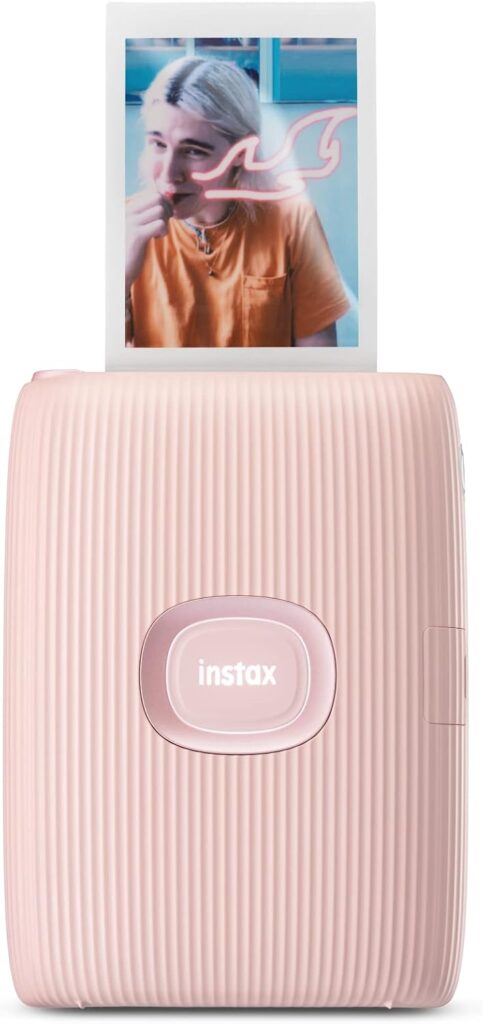
For most outdoor memory lovers, the Instax Mini Link 2 is the most fun option here. It prints on Instax Mini instant film, giving you classic 2×3-inch instant prints that feel like real keepsakes rather than glossy paper.
It is compact and lightweight, connects to your smartphone over Bluetooth, and the app is creative. You can add frames, filters, sketches and stickers before printing, and you can even print photos from videos, which is ideal for action moments like waves, hikes and campfire shots.
The standout feature is INSTAXAiR, which lets you add doodles or shapes to your photos and record your drawing motion. It can also print a QR code onto your image that links back to something like a message, a clip or a digital album, making a physical print feel interactive.
The trade-offs are cost per print, since it uses film, and a look that is intentionally instant film rather than ultra-sharp lab detail. Instax Mini film is sold separately, so budget for a pack. If you want larger, frame-worthy prints instead, the HP Sprocket Studio Plus is the better fit.
Key Features
- Prints 2×3-inch photos on Instax Mini instant film
- Bluetooth connection to your smartphone
- Frames, filters, sketches and stickers in the app
- Print photos from videos
- INSTAXAiR doodles with printable QR codes
- Compact, lightweight design
Pros
- Instant-film prints feel like real souvenirs
- Creative app features, including video stills
- Interactive QR code prints
- Easy to carry
Cons
- Higher cost per print because it uses film
- Instant-film look is not ultra-sharp
- Film sold separately
2. HP Sprocket Studio Plus — Best for 4×6 Photo Prints
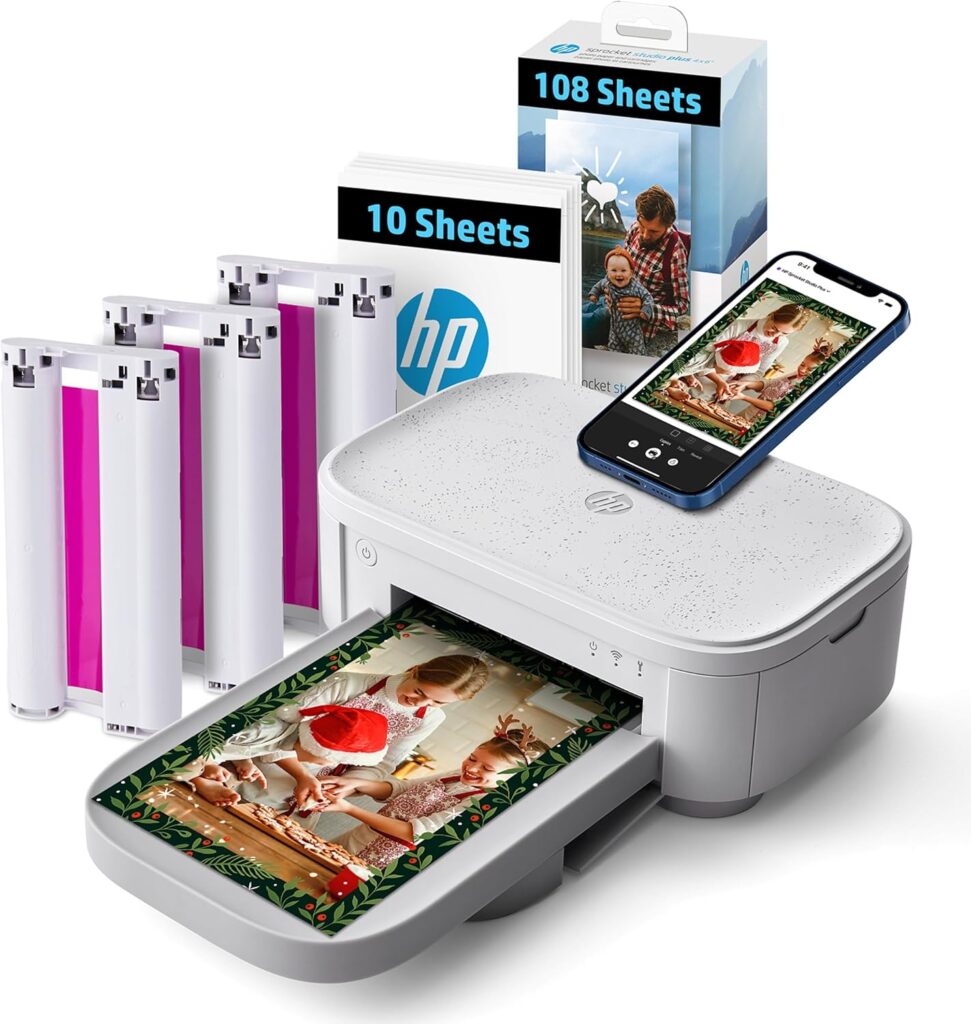
The HP Sprocket Studio Plus is for people who want real photo prints, not tiny stickers. It prints 4×6-inch photos using dye sublimation, which makes it feel more like a classic photo printer and produces prints you can gift, frame or store in a photo box.
HP emphasizes durability. Prints are designed to be tear-resistant, smudge-proof and waterproof, and they come out dry to the touch, which helps when you are printing several photos and stacking them right away.
The HP Sprocket app adds collages, photobooth layouts and photo ID formats alongside filters, frames and stickers. The printer connects to your phone over Wi-Fi, and the linked bundle includes 118 sheets and three cartridges to get you started.
The trade-off is portability. It is easy to move to a cabin weekend, road trip or event, but it is not a pocket printer. If your priority is bigger, nicer prints, it is worth it. For something that fits in a pocket, choose the Instax Mini Link 2 or a ZINK printer.
Key Features
- Prints 4×6-inch photos with dye sublimation
- Tear-resistant, smudge-proof, waterproof prints
- Dry-to-the-touch output
- Wi-Fi connection via the HP Sprocket app
- Collages, photobooth and photo ID layouts
- Bundle includes 118 sheets and 3 cartridges
Pros
- Large prints suited to framing and gifting
- Durable, waterproof photos
- Versatile app layouts
- Prints can be stacked immediately
Cons
- Not a pocket-sized printer
- Less suited to on-the-trail printing than smaller picks
3. Canon Ivy 2 — Best Sticker Printer for Journaling
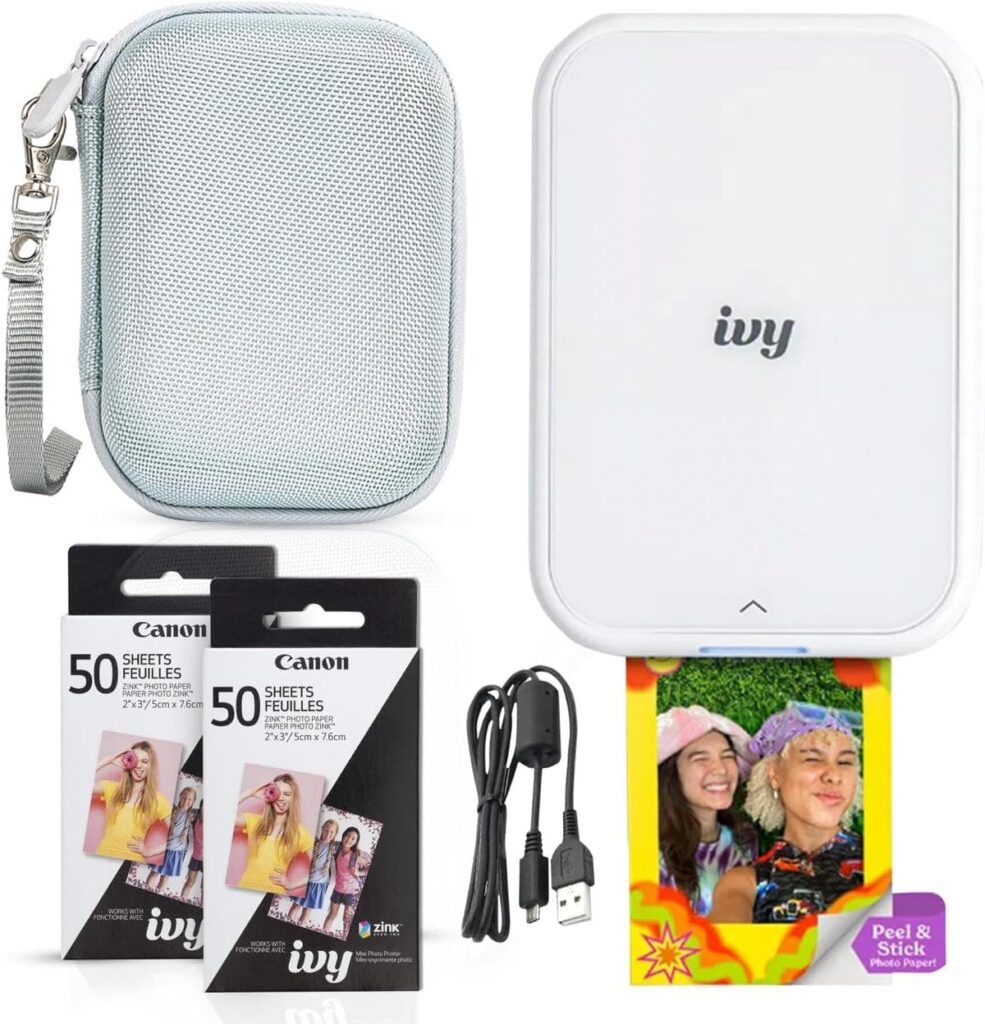
The Canon Ivy 2 is a ZINK printer that aims for more polished output. Canon highlights optimized skin tones, better contrast and sharper results, which matters because ZINK prints can look a little flat depending on lighting and image style.
Bluetooth 5.0 helps keep the connection stable, and prints have a peel-and-stick backing that makes them ideal for scrapbooks, journals or sticking onto travel gear. It also supports fast charging, which helps if you print in bursts while you are out.
The linked bundle includes 110 ZINK sticky-back prints, an LED light bar and a protective case, so it is ready for a trip out of the box.
The limitations come with the category: small prints and ZINK-style quality. But if you want one of the better sticker-print experiences, the Ivy 2 is a strong option. If you want prints with a protective laminated finish instead, look at the Kodak Mini 2 Retro.
Key Features
- ZINK printing with no ink cartridges
- 2×3-inch peel-and-stick prints
- Optimized skin tones, contrast and sharpness
- Bluetooth 5.0
- Fast charging
- Bundle with 110 prints, LED light bar and case
Pros
- More polished output than typical ZINK prints
- Sticky-back prints for journals and gear
- Stable Bluetooth 5.0 connection
- Well-equipped bundle
Cons
- Small print size
- ZINK quality cannot match dye-sub or lab prints
4. Kodak Mini 2 Retro — Best for Durable Small Prints
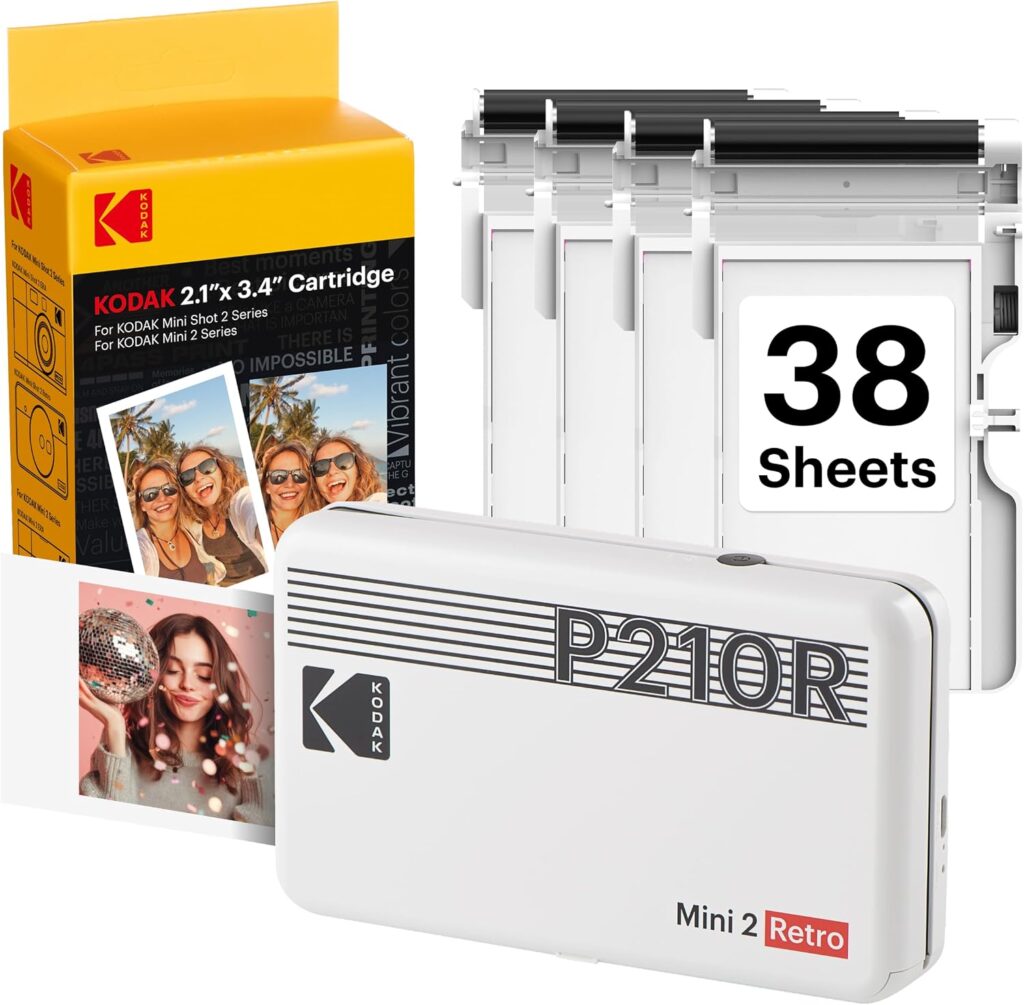
The Kodak Mini 2 Retro steps up the print style. It uses 4PASS technology, which prints in layers and adds a laminating layer on top. That laminate makes prints fingerprint-proof and water-resistant and helps them last longer.
Prints measure 2.1 x 3.4 inches, slightly bigger than typical 2×3 prints, and you can choose between border and borderless modes. Border mode is great for travel memories because you can write the date, location or a quick note like “sunrise hike” or “first night at camp.”
It is very portable at around 0.4 pounds and connects over Bluetooth to the Kodak app, which includes editing and frame features. The linked bundle comes with 38 sheets.
The trade-off with 4PASS printers is usually the ongoing cost of cartridges and paper, which can feel more premium per print than ZINK. In return, you get better durability and often better-looking results. If sticker-back prints are what you want, the Canon Ivy 2 fits better.
Key Features
- 4PASS layered printing with laminate
- Fingerprint-proof, water-resistant prints
- 2.1 x 3.4-inch prints
- Border and borderless modes
- Around 0.4 pounds
- Bluetooth with Kodak app editing
Pros
- Protected prints that last longer
- Slightly larger than 2×3 prints
- Border mode leaves room for notes
- Very portable
Cons
- Higher supply cost per print than ZINK
- No sticky-back option
5. HP Sprocket (2nd Edition) — Best Pocket Printer for Printing With Friends
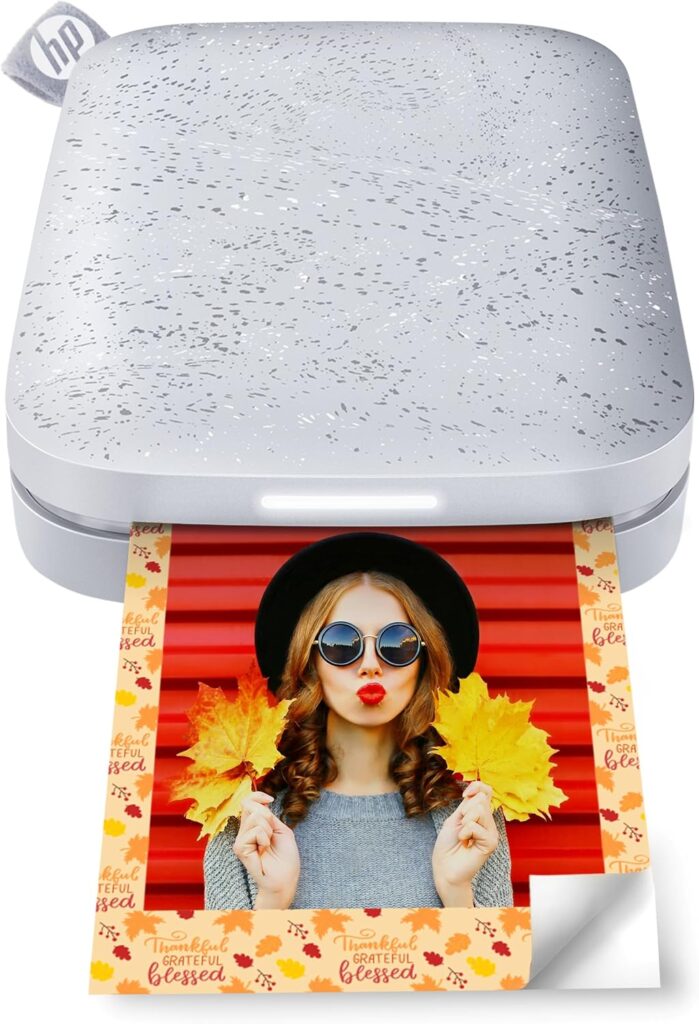
The HP Sprocket 2nd Edition is one of the most popular pocket printers for good reason. It is a ZINK printer that produces 2×3-inch glossy, sticky-backed photos, and it suits anyone who wants something truly portable and quick.
Connectivity is a highlight. It uses Bluetooth 5.0 and can connect multiple devices, so you and your friends can print at the same time, with a personalized LED light showing whose photo is printing. HP also claims up to 35 prints per charge, which covers a weekend trip or a long hangout.
The HP Sprocket app is where the fun comes in. You can add frames, filters, stickers and emojis before printing, turning a photo into a mini postcard-style memory.
Like any ZINK printer, it is not about photo-lab quality. It is about portability, speed and sticker-style fun. If you want slightly more polished ZINK output, the Canon Ivy 2 is the step up.
Key Features
- ZINK printing on 2×3-inch sticky-backed paper
- Bluetooth 5.0
- Multiple devices can print at once
- Personalized LED light shows whose photo is printing
- HP claims up to 35 prints per charge
- Frames, filters, stickers and emojis in the app
Pros
- Pocket-sized and quick
- Great for printing with friends
- Fun, easy-to-use app
- Solid prints per charge for a weekend
Cons
- ZINK quality is not lab quality
- Small print size
6. Kodak Step — Best Budget Sticker Printer
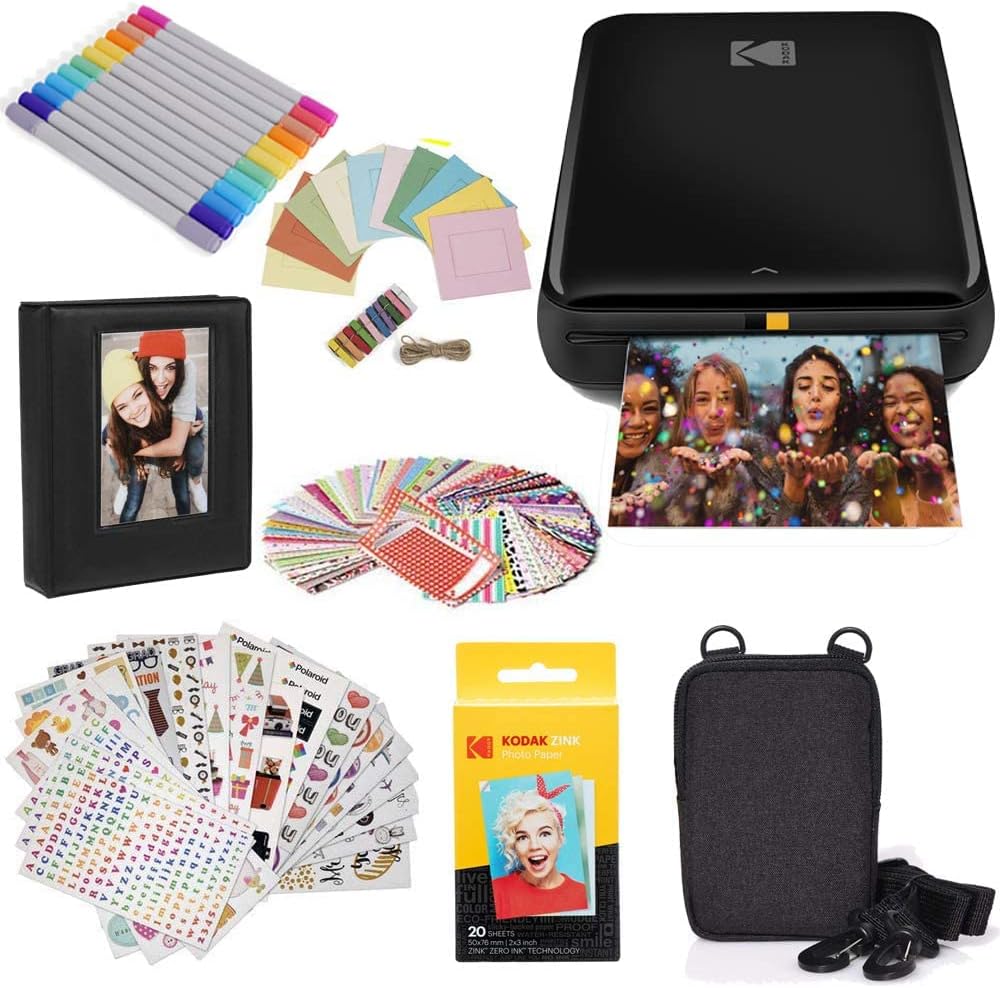
The Kodak Step goes back to the classic portable photo printer approach. It is a ZINK printer with no ink cartridges, and it prints 2×3-inch sticky-back photos you can peel and stick on journals, scrapbooks, laptops, fridges and travel notebooks.
It connects over Bluetooth or NFC depending on your device, and the Kodak app provides the creative tools you want: filters, borders, stickers and text. If you love making travel journals or memory boards, it makes the whole process easy.
The linked listing is a starter bundle, which is useful if you want paper and accessories included from the start.
The trade-off with most ZINK printers is convenience over photo realism. Prints are great for memories and decorating, but they are not as detailed or color-accurate as prints from bigger printers. For better-looking ZINK output, consider the Canon Ivy 2.
Key Features
- ZINK printing with no ink cartridges
- 2×3-inch sticky-back prints
- Bluetooth or NFC connection
- Filters, borders, stickers and text in the Kodak app
- Starter bundle listing
Pros
- Budget-friendly way into sticker printing
- Easy and fun for journals and scrapbooks
- No cartridges to replace
Cons
- Not the most detailed or color-accurate prints
- Small print size
7. Phomemo M834 — Best Travel Utility Printer
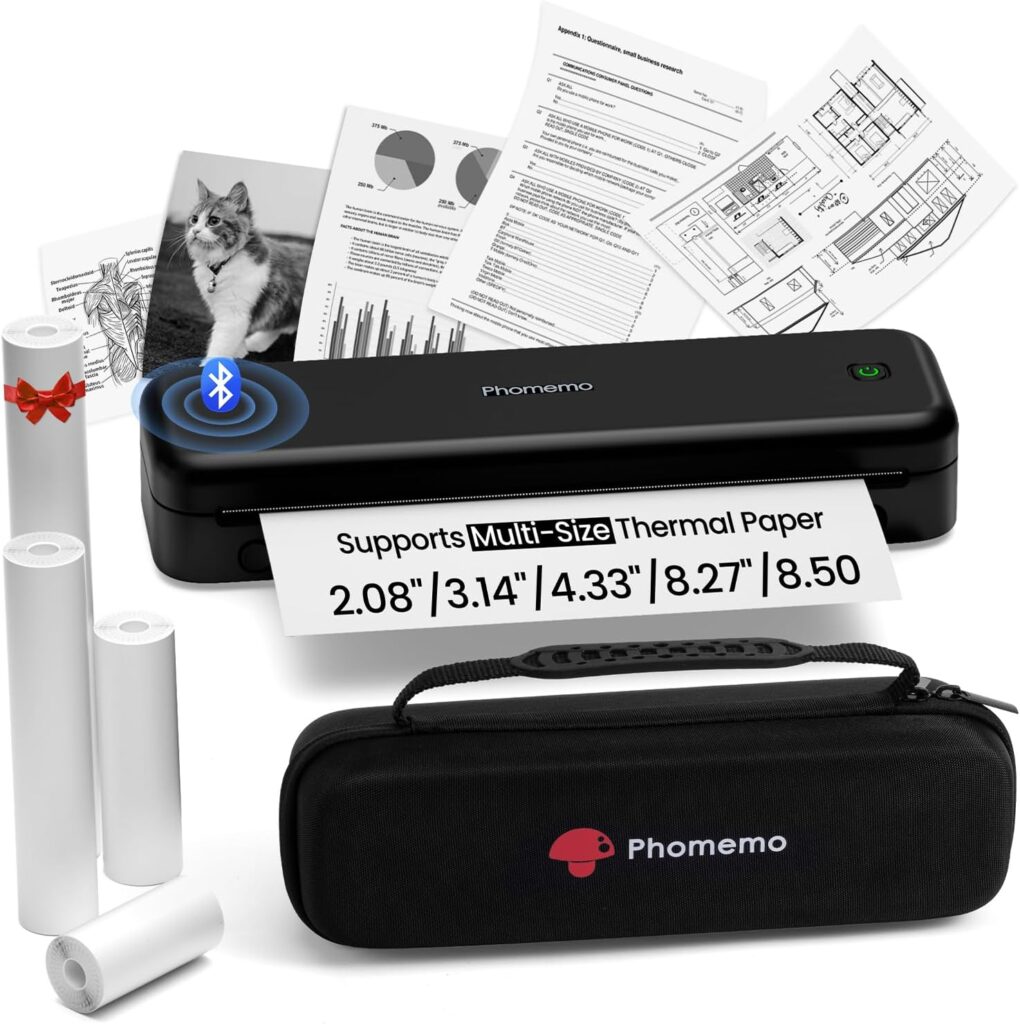
The Phomemo M834 is the wild card on this list because it is not a classic photo printer. It is a portable thermal printer focused on clarity, practicality and ink-free printing.
It prints at 300 dpi, supports multiple paper sizes including Letter and A4, and connects via Bluetooth to phones or USB to computers. It works with Android, iOS, Windows, macOS, Linux and ChromeOS, which is impressive for something this portable.
This is the pick if you travel a lot and want a printer for notes, documents, study pages, checklists, templates and DIY projects. The 2,600mAh battery is designed for longer sessions and is rated for more than 160 pages of continuous printing, and the linked listing includes a case.
If your main goal is vibrant photo keepsakes, this is not the best fit, since thermal printing is not designed for color photos. But if you want an inkless travel printer that can handle much more than photos, the Phomemo M834 is worth a look.
Key Features
- Inkless thermal printing at 300 dpi
- Letter and A4 paper sizes
- Bluetooth to phones, USB to computers
- Works with Android, iOS, Windows, macOS, Linux and ChromeOS
- 2,600mAh battery rated for 160+ pages
- Carrying case included
Pros
- Prints full-size documents with no ink
- Wide device and OS compatibility
- Long battery life for printing sessions
- Useful for travel, study and DIY
Cons
- Not designed for color photo prints
- Larger than pocket photo printers
How to Choose the Best Portable Photo Printer
The right printer comes down to how you actually want to use your prints: sticker journaling, real photo prints or instant-film keepsakes.
Print Technology
ZINK printers like the Canon Ivy 2, HP Sprocket and Kodak Step need no cartridges and produce sticky-back prints, but they trade some detail and color accuracy for convenience. Dye-sublimation printers, including the HP Sprocket Studio Plus and the 4PASS Kodak Mini 2 Retro, produce prints that look more like traditional photos. Instant film on the Instax Mini Link 2 gives a distinctive souvenir look, while thermal printers like the Phomemo M834 are for documents rather than color photos.
Print Size
Most pocket printers produce 2×3-inch prints, which suit journals, scrapbooks and wallets. The Kodak Mini 2 Retro is slightly larger at 2.1 x 3.4 inches. If you want photos to frame or gift, a 4×6 printer like the HP Sprocket Studio Plus is the better choice.
Cost Per Print and Supplies
The printer price is only part of the cost. ZINK paper, 4PASS cartridges and instant film all have ongoing costs, and film and cartridge-based prints usually cost more per print than ZINK. Check the price of refills before you buy, especially if you plan to print a lot.
Durability of Prints
If prints will be handled, stuck on gear or taken outdoors, durability matters. The Kodak Mini 2 Retro adds a laminate layer that makes prints fingerprint-proof and water-resistant, and HP designs Sprocket Studio Plus prints to be tear-resistant, smudge-proof and waterproof.
Connectivity and App Features
Most portable printers connect over Bluetooth, while the Sprocket Studio Plus uses Wi-Fi. Look at the companion app too, since frames, filters, collages, video stills and QR codes are a big part of the fun. If you print with friends, multi-device support like the HP Sprocket’s is useful.
Portability
A pocket printer like the HP Sprocket or Kodak Mini 2 Retro can go anywhere, while a 4×6 printer is better suited to a cabin, road trip or event where it can sit on a table.
FAQs
What is the difference between ZINK, dye-sublimation and instant-film printers?
ZINK printers use special paper with color built in, so there is no ink, and they typically print 2×3-inch sticky-back photos. Dye-sublimation printers, including Kodak’s 4PASS models, transfer color from a cartridge in layers and usually produce more photo-like prints. Instant-film printers like the Instax Mini Link 2 expose real instant film for a classic instant-photo look.
Do portable photo printers need ink?
ZINK and thermal printers do not use ink at all. Dye-sublimation printers like the Kodak Mini 2 Retro and HP Sprocket Studio Plus use cartridges paired with their paper, and the Instax Mini Link 2 uses Instax Mini instant film. Every type needs its own paper or film, so factor refills into your budget.
Which portable printer makes the most durable prints?
Among these picks, the Kodak Mini 2 Retro and HP Sprocket Studio Plus focus most on durability. The Mini 2 Retro adds a laminate layer for fingerprint-proof, water-resistant prints, while HP designs Studio Plus prints to be tear-resistant, smudge-proof and waterproof.
What size prints do portable photo printers make?
Most pocket printers print 2×3-inch photos, including the Instax Mini Link 2, Canon Ivy 2, HP Sprocket and Kodak Step. The Kodak Mini 2 Retro prints slightly larger 2.1 x 3.4-inch photos, and the HP Sprocket Studio Plus prints standard 4×6-inch photos.
Can several people print from one portable printer?
Some printers are designed for it. The HP Sprocket 2nd Edition can connect multiple devices so friends can print at the same time, and a personalized LED light shows whose photo is printing.
Final Verdict
The right choice comes down to how you want to use your prints.
Top pick
Fujifilm Instax Mini Link 2
The best mix of portability, creativity and instant-film keepsakes.
Best for big prints
HP Sprocket Studio Plus
Durable, frame-worthy 4×6 photos for gifting and photo boxes.
Best budget
Kodak Step
A budget-friendly ZINK sticker printer for journals and scrapbooks.
If you are still deciding, match the printer to how you plan to use it:
- For big, frame-worthy 4×6 prints, go with the HP Sprocket Studio Plus.
- For sticker prints for journals and scrapbooking, look at the Canon Ivy 2 or HP Sprocket 2nd Edition.
- For small prints with a more protected finish, the Kodak Mini 2 Retro is a great pick.
- For a budget-friendly sticker printer, the Kodak Step works well.
- For an inkless travel printer for notes and documents, the Phomemo M834 is the practical choice.
- For the best mix of portability, creativity and instant-memory feel, the Instax Mini Link 2 is our top pick.