

For an engineering student, a laptop is a workstation, a coding partner and a simulation engine, often during long nights before deadlines and exams. Not every laptop can handle that. Software like AutoCAD, SolidWorks, MATLAB and ANSYS, along with large coding projects and virtual machines, needs real processing power, enough memory and, for many majors, a capable graphics card.
This guide covers the best laptops for engineering students across mechanical, civil, electrical and software engineering. The picks range from professional mobile workstations to affordable options for first-year students, selected for real-world performance, multitasking, GPU power, portability and value for money.
As an Amazon Associate, we earn from qualifying purchases. When you buy through a link on this page we may earn a small commission from the retailer. It costs you nothing extra and does not change our rankings.
Watch the Video
If you would rather watch the full comparison, you can see our video breakdown of all seven laptops below.
Quick Picks
- Best Overall: Lenovo ThinkPad P1 Gen 7
- Best Affordable Option: Acer Aspire 5
- Best Balance of Power and Portability: Lenovo ThinkPad P16s Gen 3
- Best Compact Powerhouse: HP OMEN Transcend 14
- Best for GPU-Heavy Engineering Work: ASUS TUF Gaming A16
- Best Lightweight Option: Acer Swift Go 14
- Best Entry-Level Engineering Laptop: HP Victus 15
Product Comparison
| Laptop | Processor | RAM / Storage | Graphics | Display | Price |
|---|---|---|---|---|---|
| 1. Lenovo ThinkPad P1 Gen 7 | Core Ultra 7 165H | 32GB / 1TB | RTX 3000 Ada (8GB) | 16″ 2560 x 1600 | Check Price |
| 2. Acer Aspire 5 | Core i5-13420H | 8GB / 512GB | Intel UHD (integrated) | 15.6″ FHD touch | Check Price |
| 3. Lenovo ThinkPad P16s Gen 3 | Core Ultra 7 155H | 64GB / 2TB | RTX 500 Ada | 16″ 1920 x 1200 | Check Price |
| 4. HP OMEN Transcend 14 | Core Ultra 9 285H | 32GB / 512GB | RTX 5070 (8GB) | 14″ 3K OLED 120Hz | Check Price |
| 5. ASUS TUF Gaming A16 | Ryzen 7 7445HS | 16GB / 1TB | RTX 4050 (6GB) | 16″ 1920 x 1200 144Hz | Check Price |
| 6. Acer Swift Go 14 | Core Ultra 7 155H | 16GB / 512GB | Intel Arc (integrated) | 14″ 1920 x 1200 touch | Check Price |
| 7. HP Victus 15 | Ryzen 5 7535HS | 16GB / 512GB | Radeon RX 6550M | 15.6″ FHD 144Hz | Check Price |
Specs reflect the specific configurations sold through the linked Amazon listings. Laptops are sold in many configurations, so confirm the exact specs on the listing before you buy.
1. Lenovo ThinkPad P1 Gen 7 — Best Overall
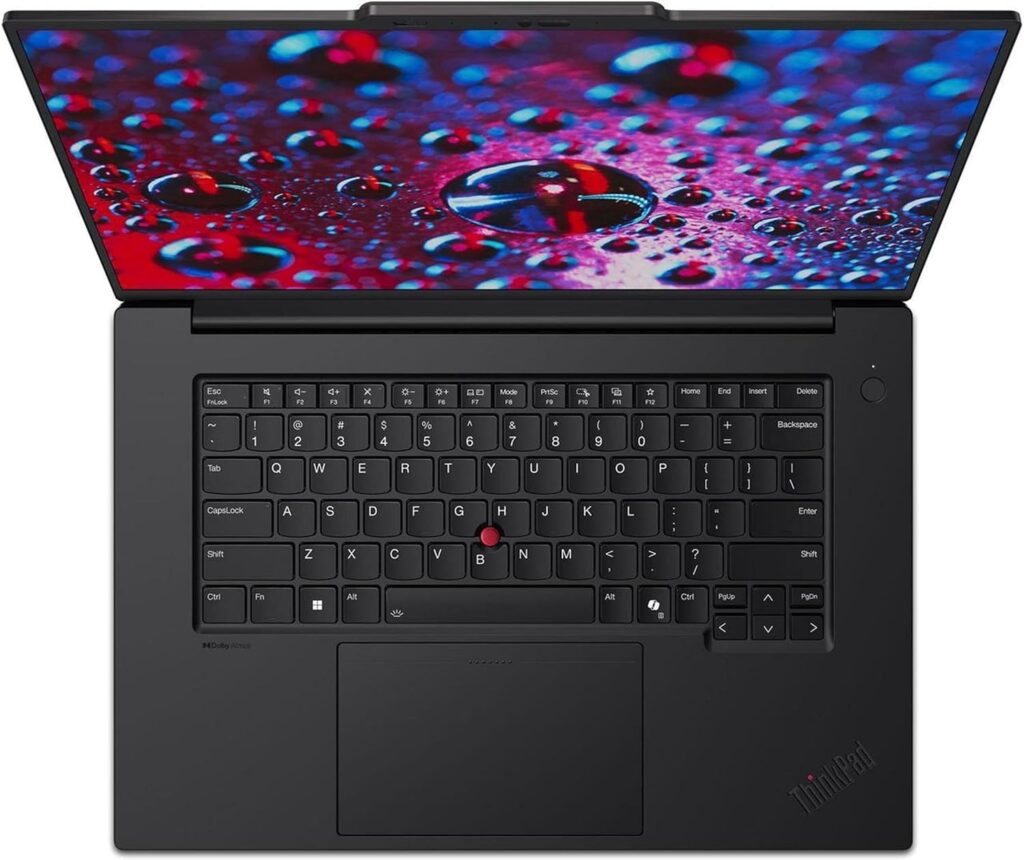
The Lenovo ThinkPad P1 Gen 7 is the gold standard for engineering laptops on this list. It is not a typical laptop but a professional-grade mobile workstation built for demanding users.
The configuration linked here runs an Intel Core Ultra 7 165H vPro processor with performance cores up to 5.0 GHz. That kind of performance matters when you are running heavy simulations, compiling large projects or keeping several engineering applications open at once.
It pairs that with 32GB of RAM, so CAD tools, browsers, simulation software and background processes can run side by side without slowdowns, and a 1TB SSD that keeps large files loading quickly with plenty of room for projects. Graphics come from an NVIDIA RTX 3000 Ada Generation GPU with 8GB of GDDR6 memory, a professional workstation card that handles 3D modeling, rendering and GPU-accelerated tasks.
The 16-inch display is listed at 2560 x 1600, which gives sharp detail for models, blueprints and technical diagrams, and the laptop weighs about 4.1 pounds. Add the ThinkPad build quality, face and fingerprint login, and you have a machine built to last years. If you want uncompromised performance and long-term reliability, this is one of the best choices you can make.
Key Features
- Intel Core Ultra 7 165H vPro, up to 5.0 GHz
- 32GB RAM and 1TB SSD
- NVIDIA RTX 3000 Ada workstation GPU (8GB)
- 16-inch 2560 x 1600 display
- ThinkPad build quality, about 4.1 pounds
- Face and fingerprint login
Pros
- Workstation-class CPU and GPU
- Plenty of RAM for heavy multitasking
- Sharp, spacious 16-inch screen
- Durable ThinkPad design
Cons
- Premium price
- Heavier than ultraportable picks
2. Acer Aspire 5 — Best Affordable Option
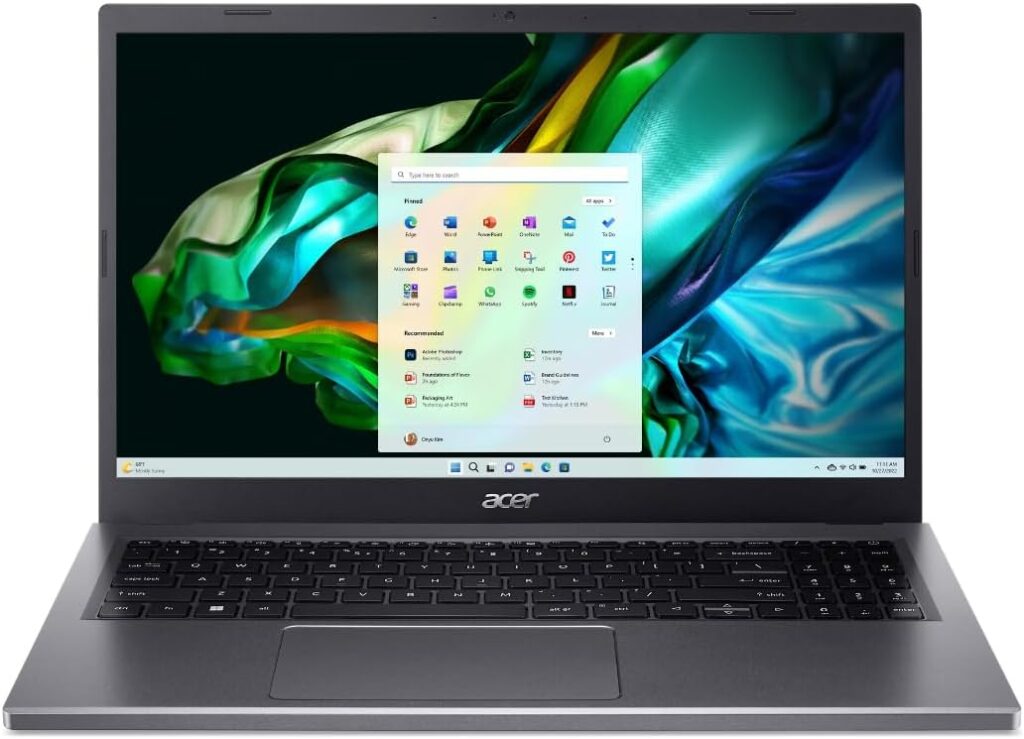
The Acer Aspire 5 is for students who want solid performance without spending a premium. The configuration linked here uses an Intel Core i5-13420H processor with 8 cores and boost speeds up to 4.6GHz, which handles coding, multitasking, documentation and light design work.
It comes with 8GB of RAM and a 512GB SSD for fast boot times and quick file access. That is enough for everyday coursework, but 8GB is on the low side for heavier CAD or simulation work, so students who expect demanding software later should budget for more memory or look further up the list.
The 15.6-inch Full HD IPS touchscreen offers clear visuals for long study sessions, and Wi-Fi 6 keeps online classes and collaboration smooth. Graphics are integrated Intel UHD, so it is not intended for heavy 3D work.
For first-year students or anyone with lighter engineering needs, it is a smart, practical choice. If you need a dedicated GPU on a budget, the HP Victus 15 is the better starting point.
Key Features
- Intel Core i5-13420H (8 cores, up to 4.6GHz)
- 8GB RAM and 512GB SSD
- 15.6-inch Full HD IPS touchscreen
- Wi-Fi 6
- Windows 11 Pro
Pros
- Affordable entry into a capable laptop
- Touchscreen display
- Good everyday performance for coding and coursework
Cons
- 8GB RAM limits heavy CAD and simulation work
- Integrated graphics only
3. Lenovo ThinkPad P16s Gen 3 — Best Balance of Power and Portability
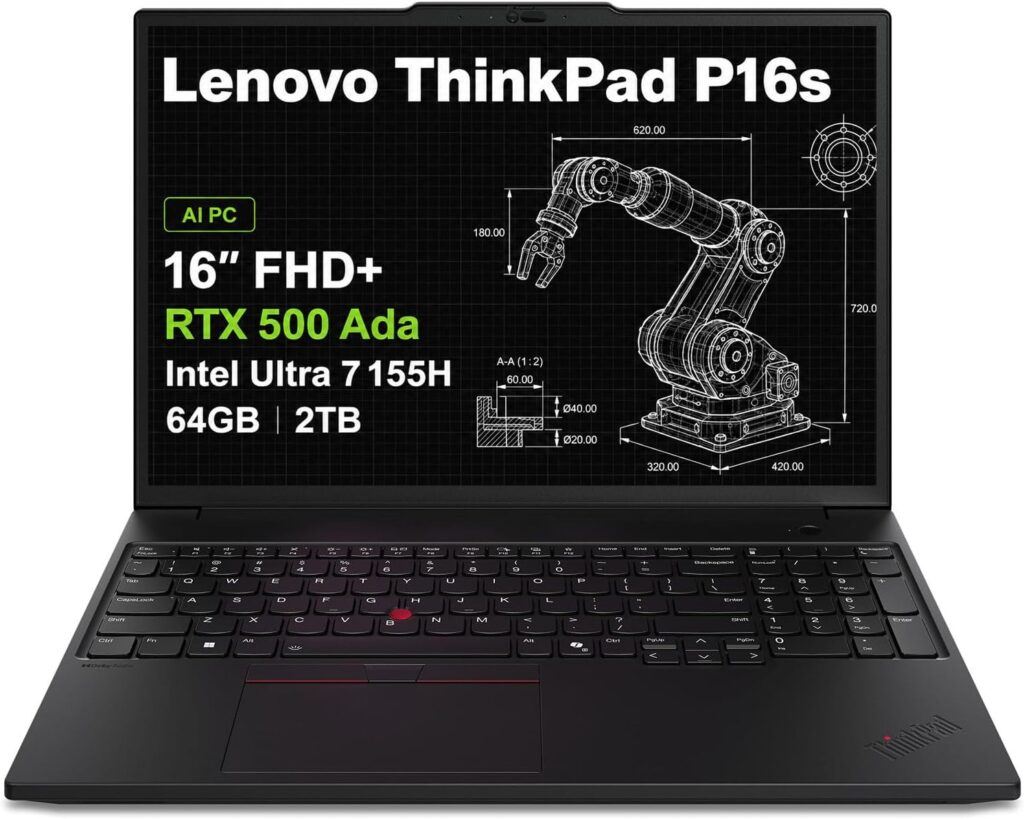
The Lenovo ThinkPad P16s Gen 3 is designed for students who want serious workstation performance without carrying a bulky machine.
The linked configuration has an Intel Core Ultra 7 155H with an integrated AI Boost NPU, a generous 64GB of DDR5 RAM and a 2TB SSD. That is more memory and storage than most students will need, and it means demanding engineering software, large datasets and virtual machines can run comfortably.
Graphics come from an NVIDIA RTX 500 Ada professional GPU, which gives a solid boost for 3D modeling and rendering. The 16-inch WUXGA (1920 x 1200) IPS display uses a 16:10 anti-glare panel with extra vertical space for drawings, spreadsheets and code.
You also get a full-size spill-resistant keyboard with a numeric keypad, the ThinkPad TrackPoint, dual Thunderbolt 4, HDMI 2.1, Ethernet and Wi-Fi 6E. If you want a professional-grade laptop that balances power, portability and reliability, it is a strong option. If display sharpness matters most, the ThinkPad P1 Gen 7’s higher-resolution screen is the step up.
Key Features
- Intel Core Ultra 7 155H with AI Boost NPU
- 64GB DDR5 RAM and 2TB SSD
- NVIDIA RTX 500 Ada GPU
- 16-inch 1920 x 1200 anti-glare display
- Numeric keypad and TrackPoint
- Dual Thunderbolt 4, HDMI 2.1, Ethernet, Wi-Fi 6E
Pros
- Huge RAM and storage in this configuration
- Professional GPU for CAD
- Excellent ports and keyboard
- ThinkPad reliability
Cons
- Display resolution is Full HD-class in this configuration
- Entry-level workstation GPU
4. HP OMEN Transcend 14 — Best Compact Powerhouse
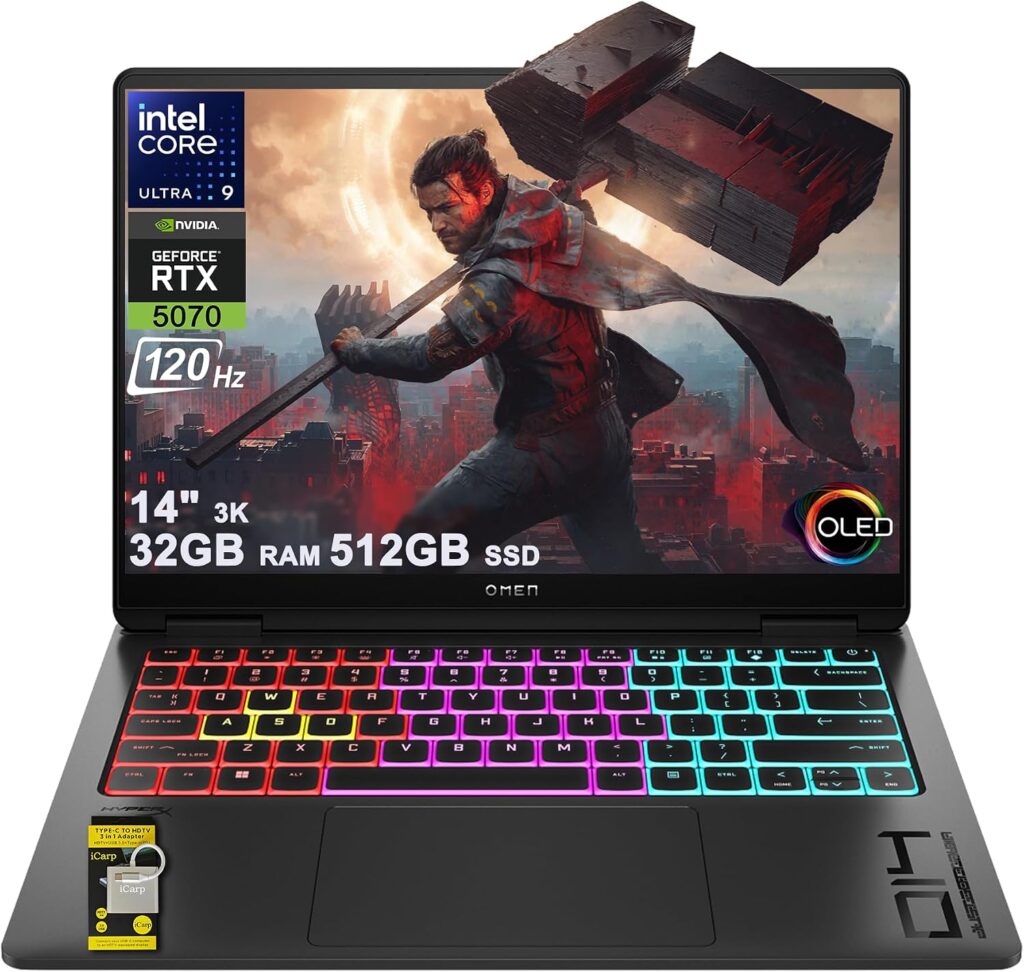
The HP OMEN Transcend 14 is all about high-end performance in a sleek, compact design.
The linked configuration uses a 16-core Intel Core Ultra 9 285H with boost speeds up to 5.4GHz and 32GB of RAM, which makes it well suited to heavy multitasking and demanding workflows. Storage is a 512GB SSD, so students with large project libraries may want external storage.
A standout feature is the 14-inch 3K (2880 x 1800) OLED display with a 120Hz refresh rate, 100% DCI-P3 color and HDR 500 nits. It delivers sharp visuals, vibrant color and smooth motion for both work and entertainment.
What really sets it apart is the NVIDIA GeForce RTX 5070 GPU with 8GB of GDDR7 memory. That is a lot of graphics power for rendering, simulations and GPU-intensive tasks in a laptop this size. Thunderbolt 4 and plenty of USB ports make it easy to connect monitors and accessories. If you want strong performance without carrying a heavy laptop, it is one of the best options here.
Key Features
- Intel Core Ultra 9 285H (16 cores, up to 5.4GHz)
- 32GB RAM and 512GB SSD
- NVIDIA GeForce RTX 5070 (8GB GDDR7)
- 14-inch 3K OLED, 120Hz, 100% DCI-P3
- Thunderbolt 4 and USB-C with PD 3.1
Pros
- Very powerful CPU and GPU for its size
- Gorgeous OLED display
- Compact and portable
Cons
- 512GB SSD is small for large projects
- Gaming-focused design may not suit every classroom
5. ASUS TUF Gaming A16 — Best for GPU-Heavy Engineering Work
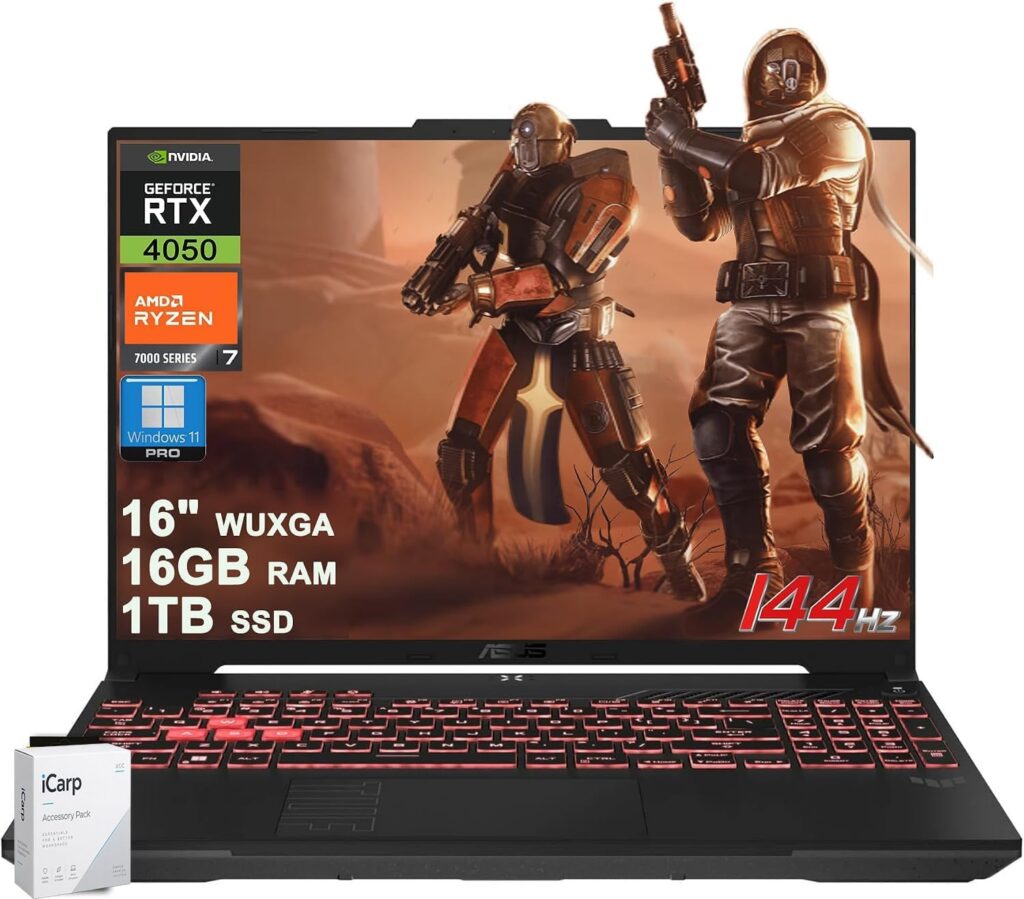
For students who prioritize raw power and a dedicated GPU in a durable 16-inch chassis, the ASUS TUF Gaming A16 is built for heavy workloads.
The configuration linked here pairs a 6-core AMD Ryzen 7 7445HS processor with 16GB of RAM and a roomy 1TB SSD. Graphics come from a dedicated NVIDIA GeForce RTX 4050 with 6GB of memory, which helps with 3D modeling, rendering, simulations and even game development.
The 16-inch WUXGA (1920 x 1200) IPS display runs at 144Hz for smooth visuals, and ports are generous, including USB4, HDMI 2.1 and Ethernet. It is bulkier than an ultrabook, but it makes up for that with durability and cooling headroom.
Keep in mind that this specific listing’s RTX 4050 is less powerful than the RTX 5070 in the OMEN Transcend 14 configuration above, so check the GPU on the listing if graphics performance is your top priority. If your work involves regular graphics or simulation tasks and you want a 16-inch screen with plenty of storage, the TUF A16 is a solid workhorse.
Key Features
- AMD Ryzen 7 7445HS (6 cores)
- 16GB RAM and 1TB SSD
- NVIDIA GeForce RTX 4050 (6GB)
- 16-inch 1920 x 1200 IPS, 144Hz
- USB4, HDMI 2.1 and Ethernet
Pros
- Dedicated GPU for CAD and rendering
- Large 1TB SSD
- Smooth 144Hz 16-inch display
- Durable TUF build
Cons
- Bulkier than ultrabooks
- RTX 4050 in this configuration trails the OMEN’s RTX 5070
6. Acer Swift Go 14 — Best Lightweight Option
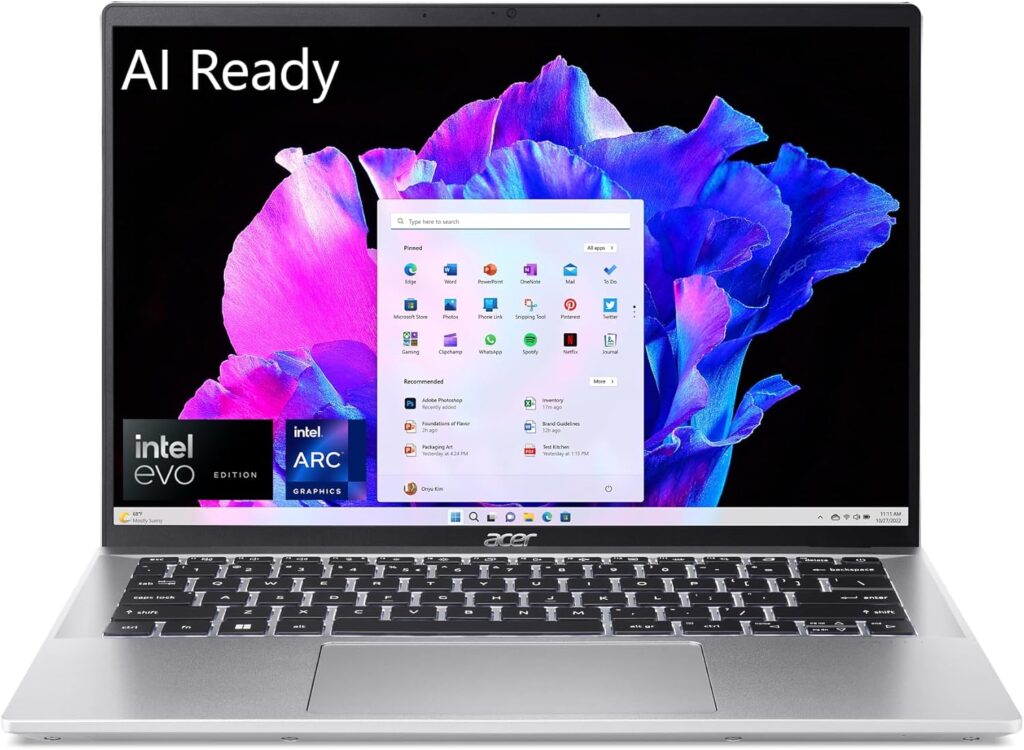
The Acer Swift Go 14 is designed for students who are always on the move.
The linked configuration runs an Intel Core Ultra 7 155H with 16 cores and 22 threads, which delivers reliable performance for coding, multitasking and general engineering tasks. It has 16GB of LPDDR5X RAM, a 512GB SSD and integrated Intel Arc graphics.
The 14-inch WUXGA (1920 x 1200) touch display covers 100% sRGB for good clarity and color accuracy during long work sessions.
Portability is its biggest advantage. At about 2.9 pounds and verified as an Intel Evo thin-and-light laptop, it is easy to carry across campus all day. If you need a lightweight laptop for everyday engineering work, it is a great option, but students running heavy 3D or GPU-accelerated software should consider a model with a dedicated GPU.
Key Features
- Intel Core Ultra 7 155H (16 cores)
- 16GB LPDDR5X RAM and 512GB SSD
- Integrated Intel Arc graphics
- 14-inch 1920 x 1200 touch display, 100% sRGB
- About 2.9 pounds, Intel Evo verified
Pros
- Very light and portable
- Strong CPU for coding and multitasking
- Color-accurate touch display
Cons
- No dedicated GPU
- 512GB storage fills quickly with large projects
7. HP Victus 15 — Best Entry-Level Engineering Laptop
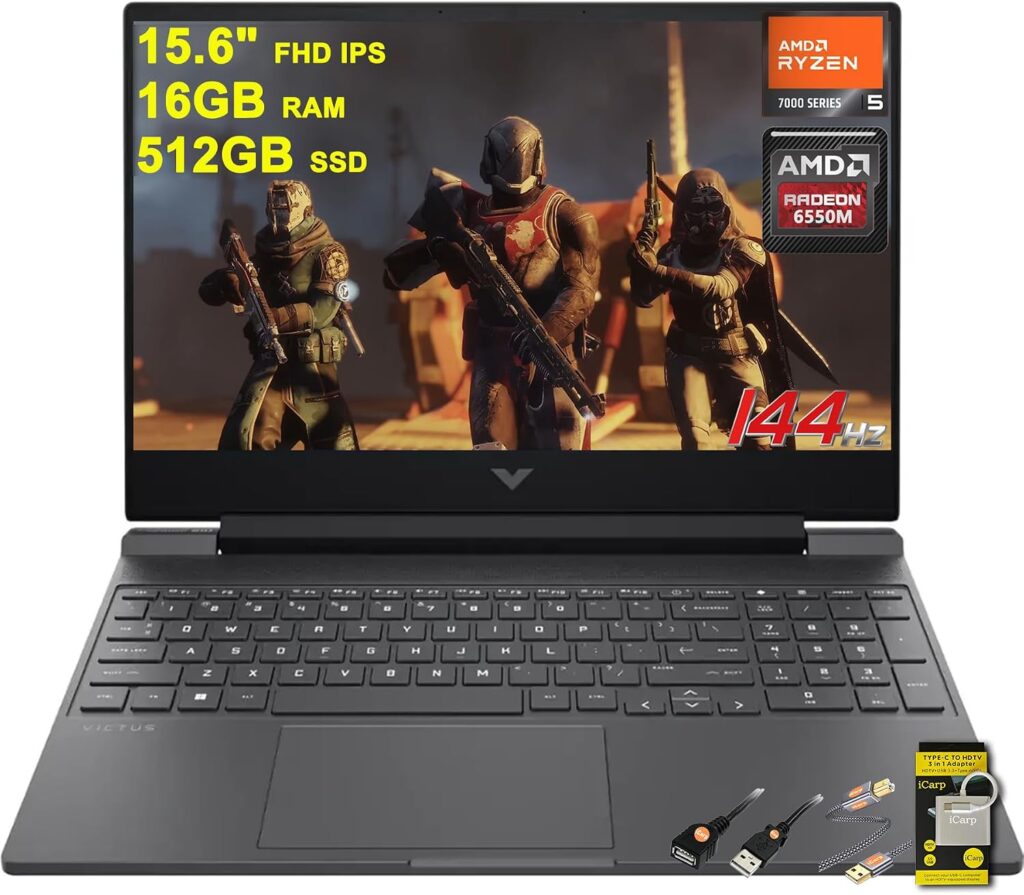
The HP Victus 15 is one of the best entry-level laptops for engineering students, striking a strong balance between performance and affordability.
The linked configuration has an AMD Ryzen 5 7535HS processor, 16GB of RAM and a 512GB SSD, which covers most academic tasks.
What makes it stand out is the dedicated GPU. This configuration uses an AMD Radeon RX 6550M, and having dedicated graphics at this price is a real advantage for students who need to run design software or do light rendering. The 15.6-inch Full HD IPS display with a 144Hz refresh rate keeps everything feeling smooth.
It is a little heavier and less premium than some picks, but it delivers excellent value. If you are on a tight budget but still need a dedicated GPU, it is a solid choice.
Key Features
- AMD Ryzen 5 7535HS (6 cores)
- 16GB RAM and 512GB SSD
- Dedicated AMD Radeon RX 6550M graphics
- 15.6-inch Full HD IPS, 144Hz
- SD card reader, HDMI 2.1 and Ethernet
Pros
- Dedicated GPU at an entry-level price
- 16GB RAM for multitasking
- Smooth 144Hz display
Cons
- Heavier and less premium than ultrabooks
- 512GB SSD may need expanding
How to Choose the Best Laptop for Engineering Students
The best laptop depends on your major, your software and your budget. Start by checking your department’s recommended specs, then weigh these factors.
Processor
A modern multi-core processor speeds up compiling, simulations and multitasking. Intel Core Ultra 7 or 9 and AMD Ryzen 7 chips handle demanding workloads comfortably, while Core i5 and Ryzen 5 chips are fine for coding and lighter design work.
RAM and Storage
16GB of RAM is a sensible baseline for engineering coursework, and 32GB or more helps with large CAD assemblies, simulations and virtual machines. For storage, 512GB fills quickly with software and project files, so 1TB is more comfortable if your budget allows.
Graphics Card
Mechanical, civil and architecture-adjacent students running 3D CAD, rendering or simulation benefit most from a dedicated GPU. Professional workstation GPUs like NVIDIA’s RTX Ada cards are designed for pro applications, while GeForce and Radeon gaming GPUs offer strong performance for the money. Software and electrical engineering students can often get by with integrated graphics.
Display
A larger, higher-resolution screen makes detailed models and code easier to work with. 16-inch displays with a 16:10 aspect ratio give extra vertical space, while OLED panels offer excellent color and contrast for design work.
Portability and Battery
You will carry your laptop across campus daily. Thin-and-light models like the Acer Swift Go 14 and compact machines like the OMEN Transcend 14 are easier to live with, while 16-inch workstations and gaming laptops trade weight for power and cooling.
Build Quality and Value
A laptop that lasts through your degree is better value than a cheaper one you replace halfway through. ThinkPads are known for durability, while budget options like the Acer Aspire 5 and HP Victus 15 keep costs down for first-year students.
FAQs
How much RAM does an engineering student need?
16GB is a good baseline for most engineering programs, covering coding, MATLAB and moderate CAD work. If you run large simulations, complex 3D assemblies or virtual machines, 32GB or more gives you comfortable headroom. 8GB works for basic coursework but can feel limiting once heavier software comes into play.
Do engineering students need a dedicated graphics card?
It depends on your major. Students using 3D CAD, rendering or GPU-accelerated simulation, such as mechanical and civil engineering students, benefit from a dedicated GPU. Software and many electrical engineering students can usually rely on integrated graphics, focusing their budget on CPU, RAM and portability instead.
Are gaming laptops good for engineering students?
Often, yes. Gaming laptops like the ASUS TUF Gaming A16, HP OMEN Transcend 14 and HP Victus 15 offer powerful processors and dedicated GPUs that handle CAD and rendering well, usually at a lower price than workstations. The trade-offs are typically weight, battery life and a more flashy design.
Can I use a MacBook for engineering?
Some engineering software, including SolidWorks, runs only on Windows, so a Windows laptop is the safer choice for many engineering majors. Check the software list for your program before buying, especially if your courses rely on Windows-only CAD or simulation tools.
What is the difference between a workstation and a regular laptop?
Mobile workstations like the ThinkPad P1 Gen 7 and P16s Gen 3 use professional-grade GPUs, such as NVIDIA’s RTX Ada line, and are built for reliability under sustained professional workloads. Regular and gaming laptops can be just as fast in many tasks, but workstations are designed with professional applications and long-term durability in mind.
Final Verdict
The best laptop depends on your needs, your workload and your budget.
Top pick
Lenovo ThinkPad P1 Gen 7
Workstation-class performance, a professional RTX GPU and ThinkPad durability.
Best balance
Lenovo ThinkPad P16s Gen 3
Serious power with plenty of RAM and storage in a more portable workstation.
Best budget
HP Victus 15
A dedicated GPU and 16GB of RAM at an entry-level price.
If you want the absolute best performance, go with the Lenovo ThinkPad P1 Gen 7. On a budget, the Acer Aspire 5 or HP Victus 15 are great options, with the Victus the better pick if you need a dedicated GPU. For a balance of power and portability, the ThinkPad P16s Gen 3 is an excellent choice.
If you want a compact powerhouse, the HP OMEN Transcend 14 stands out, and for a durable 16-inch laptop with a dedicated GPU and plenty of storage, the ASUS TUF Gaming A16 is a strong workhorse. Students who carry their laptop everywhere will appreciate the Acer Swift Go 14.