

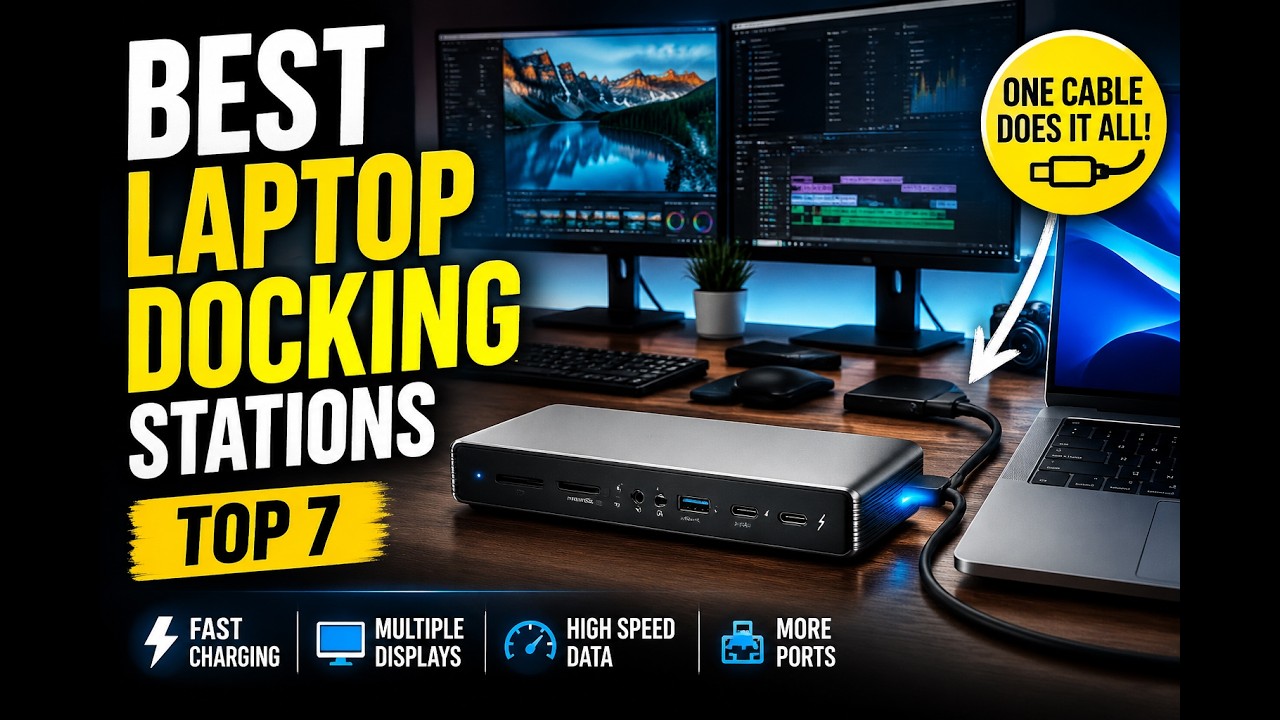
Modern laptops keep getting thinner and more powerful, but they keep losing ports. If you are constantly plugging and unplugging cables every time you sit at your desk, a good docking station fixes that. With one cable, you can connect monitors, external drives, a keyboard and mouse and Ethernet, and charge your laptop at the same time, turning it into a full desktop workstation in seconds.
Not all docks are built the same, though. Some are designed for simple everyday use, while others are built for video editing, 3D design and heavy multitasking. This guide compares the best laptop docking stations based on performance, port selection, charging capability and value, from Thunderbolt 5 docks for creators to affordable USB-C docks for students and remote workers.
As an Amazon Associate, we earn from qualifying purchases. When you buy through a link on this page we may earn a small commission from the retailer. It costs you nothing extra and does not change our rankings.
Watch the Video
If you would rather watch the full comparison, you can see our video breakdown of all seven docks below.
Quick Picks
- Best Overall: CalDigit TS4
- Best Thunderbolt 5 Performance: Anker Prime TB5
- Best for Multi-Monitor Creative Work: Kensington SD5000T5 EQ
- Best Universal Compatibility: Dell UD22 Universal Dock
- Best for Everyday Use: Anker 575 (13-in-1)
- Best Compact High-Power Dock: Belkin 11-in-1 Pro
- Best Space-Saving Design: Baseus Spacemate
Product Comparison
| Dock | Connection | Laptop Charging | External Displays | Price |
|---|---|---|---|---|
| 1. CalDigit TS4 | Thunderbolt 4 | 98W | 1x 8K or 2x 6K | Check Price |
| 2. Anker Prime TB5 | Thunderbolt 5 | 140W | Up to 2x 8K@60Hz | Check Price |
| 3. Kensington SD5000T5 EQ | Thunderbolt 5 | 140W | Up to 3x 4K or 1x 8K | Check Price |
| 4. Dell UD22 | USB-C | 96W | Up to 4x 4K | Check Price |
| 5. Anker 575 (13-in-1) | USB-C | 85W | 3x 1080p or 1x 4K | Check Price |
| 6. Belkin 11-in-1 Pro | USB-C | 96W (146W total) | Up to 3x 4K@60Hz | Check Price |
| 7. Baseus Spacemate | USB-C | 85W | Up to 3x 4K (Windows) | Check Price |
Display and charging figures are manufacturer maximums. What you actually get depends on your laptop’s port, operating system, monitors and cables.
1. CalDigit TS4 — Best Overall
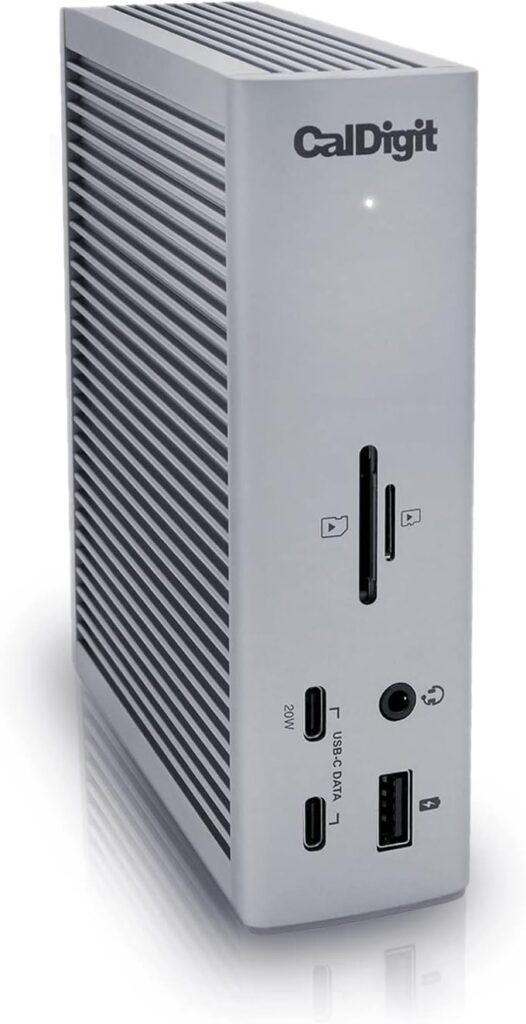
The CalDigit TS4 is one of the most powerful and feature-packed docking stations available, built for users who want maximum connectivity without compromise.
The first thing that stands out is the port count. You get 18 ports, which is more than most people will ever use, and that is exactly what makes it so versatile. There are eight USB ports with full 10Gb/s speeds, three Thunderbolt 4 ports, SD and microSD UHS-II card readers, three audio ports, a DisplayPort 1.4 connector and 2.5 Gigabit Ethernet, which is faster than standard Ethernet for stable, high-speed networking.
It delivers up to 98W of charging, enough to power most laptops while also running your accessories, all through a single cable. For displays, it supports a single 8K or dual 6K monitors at 60Hz depending on your system, so multi-screen setups are easy.
It works with Thunderbolt 4, Thunderbolt 3, USB4 and USB-C laptops across Mac, Windows and Chrome OS. If you want a future-proof, all-in-one docking solution with maximum connectivity, the TS4 is one of the best options available. If you need Thunderbolt 5 speeds or more than 98W of charging, look at the Anker Prime TB5.
Key Features
- 18 ports, including 3x Thunderbolt 4 (40Gb/s)
- 8x USB ports at 10Gb/s
- SD and microSD UHS-II card readers
- 2.5 Gigabit Ethernet
- 98W laptop charging
- Single 8K or dual 6K 60Hz displays
Pros
- Huge port selection
- Fast 2.5GbE networking
- Broad Mac, Windows and Chrome OS compatibility
- Single-cable desk setup
Cons
- Thunderbolt 4 rather than Thunderbolt 5
- 98W may be short for the most power-hungry laptops
2. Anker Prime TB5 — Best Thunderbolt 5 Performance
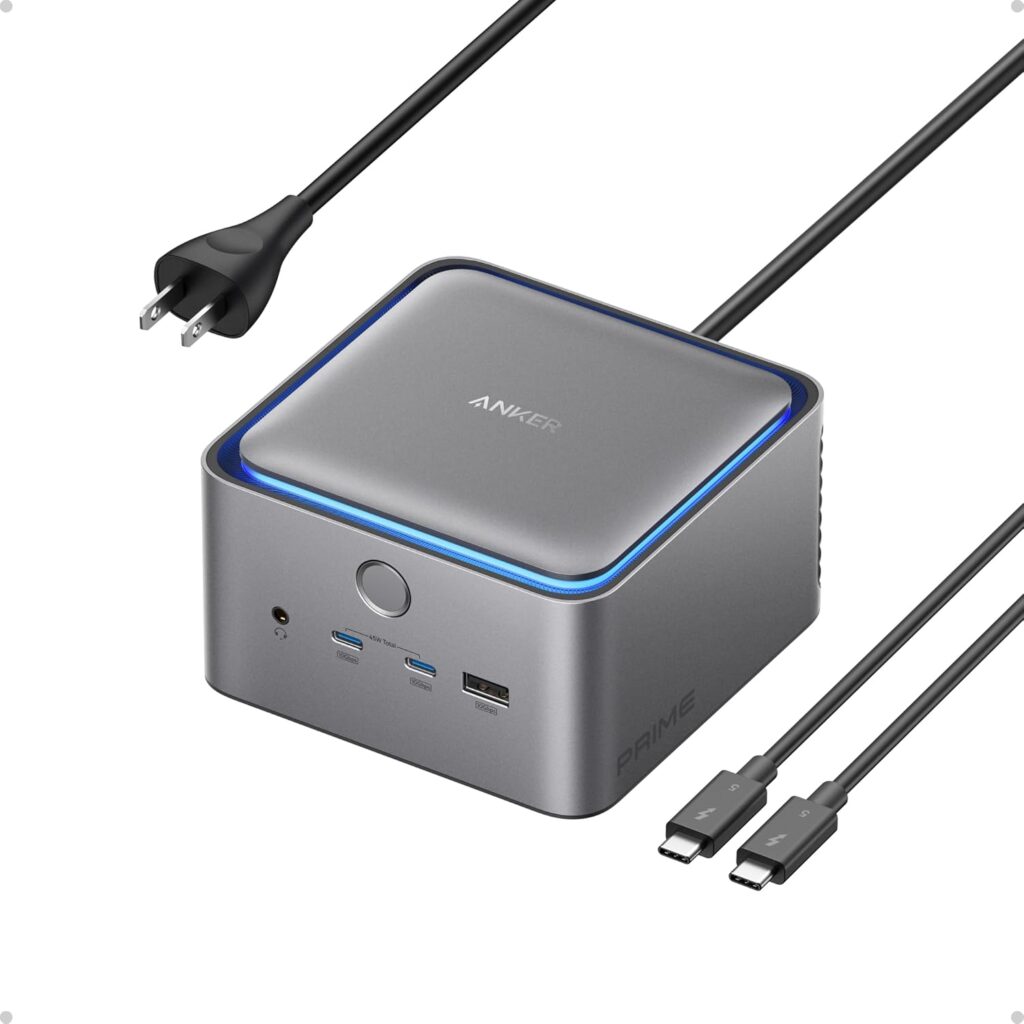
The Anker Prime TB5 moves into next-generation performance. It is built around Thunderbolt 5, which brings a major jump in speed and bandwidth for faster data transfers and smoother multi-display setups.
This 14-in-1 dock includes a Thunderbolt 5 upstream port, two Thunderbolt 5 downstream ports, two front USB-C ports, three USB-A ports, SD and TF card readers, 2.5Gbps Ethernet, an audio jack and an HDMI 2.1 or DisplayPort 2.1 output.
Speed is the real highlight. Anker says it can move a 150GB file in about 25 seconds over Thunderbolt 5, which saves real time for content creators and video editors working with large files. It also supports up to dual 8K displays at 60Hz on Thunderbolt 5 Windows laptops, so there is plenty of room to upgrade monitors later.
Charging is another strength, with up to 140W to your laptop through the upstream port, and an active cooling system keeps performance stable during long, heavy sessions. If you want cutting-edge performance and top-tier speed, it is one of the most advanced docks you can buy. You will need a Thunderbolt 5 laptop to get the full benefit.
Key Features
- Thunderbolt 5 with two downstream TB5 ports
- 14 ports including 2.5Gbps Ethernet and SD/TF readers
- Up to dual 8K@60Hz on Thunderbolt 5 Windows laptops
- Up to 140W laptop charging
- Active cooling system
Pros
- Very fast Thunderbolt 5 transfers
- High 140W charging
- Future-ready 8K display support
- Stays cool under load
Cons
- Full performance requires a Thunderbolt 5 laptop
- Active cooling means a fan in your desk setup
3. Kensington SD5000T5 EQ — Best for Multi-Monitor Creative Work
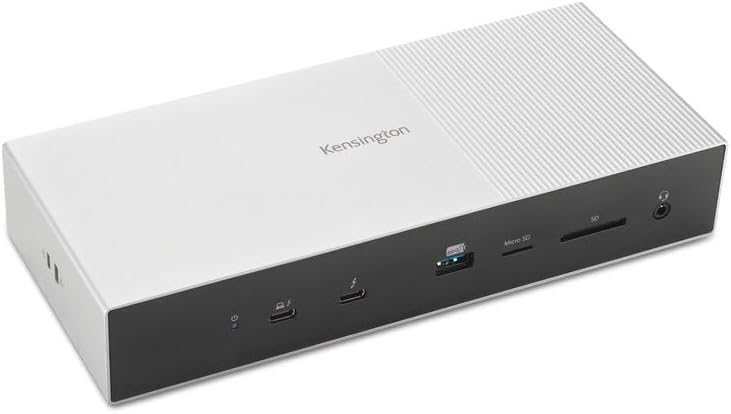
The Kensington SD5000T5 EQ is built for creators and professionals who rely on multiple displays. It is another Thunderbolt 5 dock, but its focus is display performance and workflow efficiency.
With a Thunderbolt 5 laptop, it supports up to triple 4K displays or a single 8K monitor, and with a Thunderbolt 4 laptop, up to dual 4K or a single 8K. That much screen space is ideal for video editing, animation and graphic design, where you are juggling timelines, tools and previews at once. Data transfers run at up to 80Gbps on Thunderbolt 5 hosts.
Built-in SD and microSD card readers give photographers and videographers fast access to media from cameras. It also delivers up to 140W of power, enough for high-performance workstations.
The design is sleek and professional, with a zero-footprint mounting option for a tidier desk. It works with Windows and macOS and was built in collaboration with Microsoft to support USB-C Surface devices. If your work depends on multi-monitor setups and fast media access, it is well worth considering.
Key Features
- Thunderbolt 5 with up to 80Gbps data
- Up to triple 4K or single 8K (Thunderbolt 5 host)
- Up to 140W power delivery
- SD and microSD card readers
- Zero-footprint mounting option
- Works with Windows, macOS and Surface devices
Pros
- Excellent multi-monitor support
- High charging power for workstations
- Fast card readers for creators
- Clean, mountable design
Cons
- Triple 4K needs a Thunderbolt 5 host
- Premium-priced category
4. Dell UD22 Universal Dock — Best Universal Compatibility
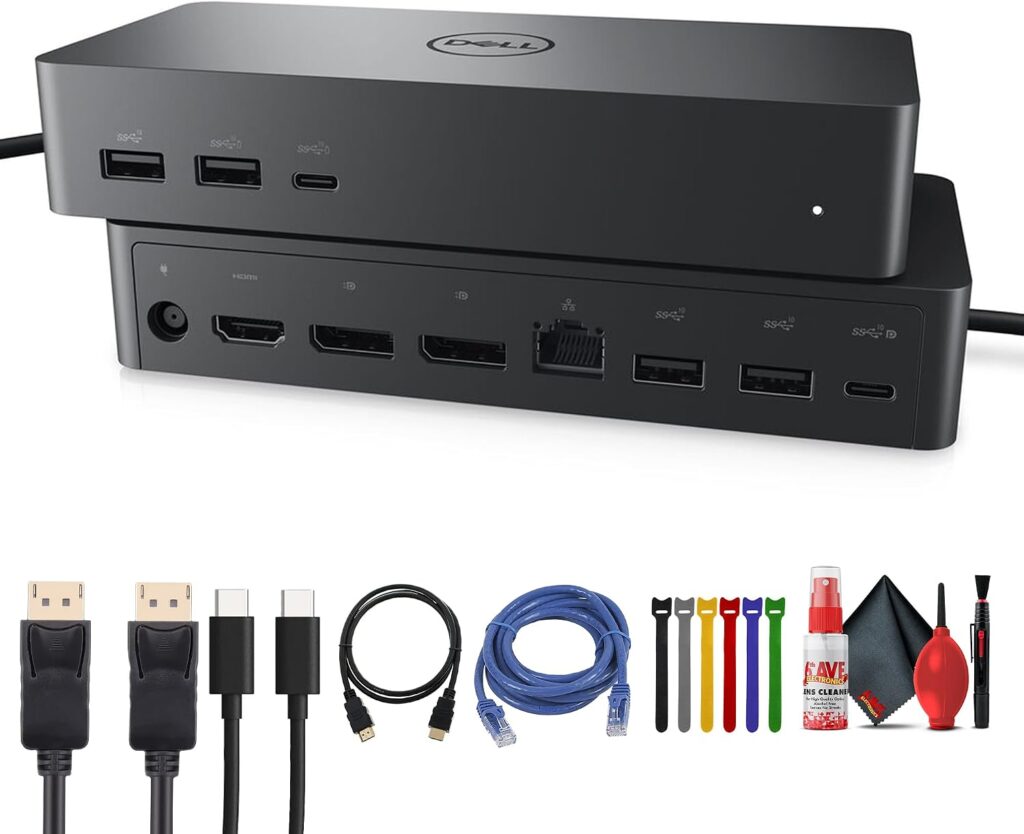
The Dell UD22 Universal Dock is all about flexibility and compatibility. It is designed to work with almost any USB-C laptop, regardless of brand or operating system, which makes it practical for shared desks, hybrid offices and households with mixed devices.
Display support is one of its biggest strengths. Using DisplayLink technology, it can drive up to four 4K monitors, which transforms productivity for spreadsheets, coding and heavy multitasking. Its 10 ports include two DisplayPort 1.2, one HDMI 2.0, a USB-C port with DisplayPort 1.4, four USB 3.2 Gen 2 Type-A ports, two USB 3.2 Gen 2 Type-C ports and Gigabit Ethernet.
It provides up to 96W of charging from its 130W power adapter, so you still get single-cable convenience. The linked listing is a bundle that also includes DisplayPort, USB-C, HDMI and Ethernet cables.
It may not have the highest-end speeds, but it focuses on reliability and universal compatibility, which makes it a great fit for office environments and everyday work. If you mainly need raw speed for large files, a Thunderbolt dock like the CalDigit TS4 is the better choice.
Key Features
- Universal USB-C compatibility across brands
- Up to four 4K displays with DisplayLink
- 10 ports including 2x DisplayPort, HDMI and Gigabit Ethernet
- Up to 96W laptop charging (130W adapter)
- Bundle includes display, USB-C and Ethernet cables
Pros
- Works across laptop brands and operating systems
- Supports up to four monitors
- Useful cable bundle
- Reliable office-friendly design
Cons
- Not as fast as Thunderbolt docks
- DisplayLink requires driver software
5. Anker 575 (13-in-1) — Best for Everyday Use
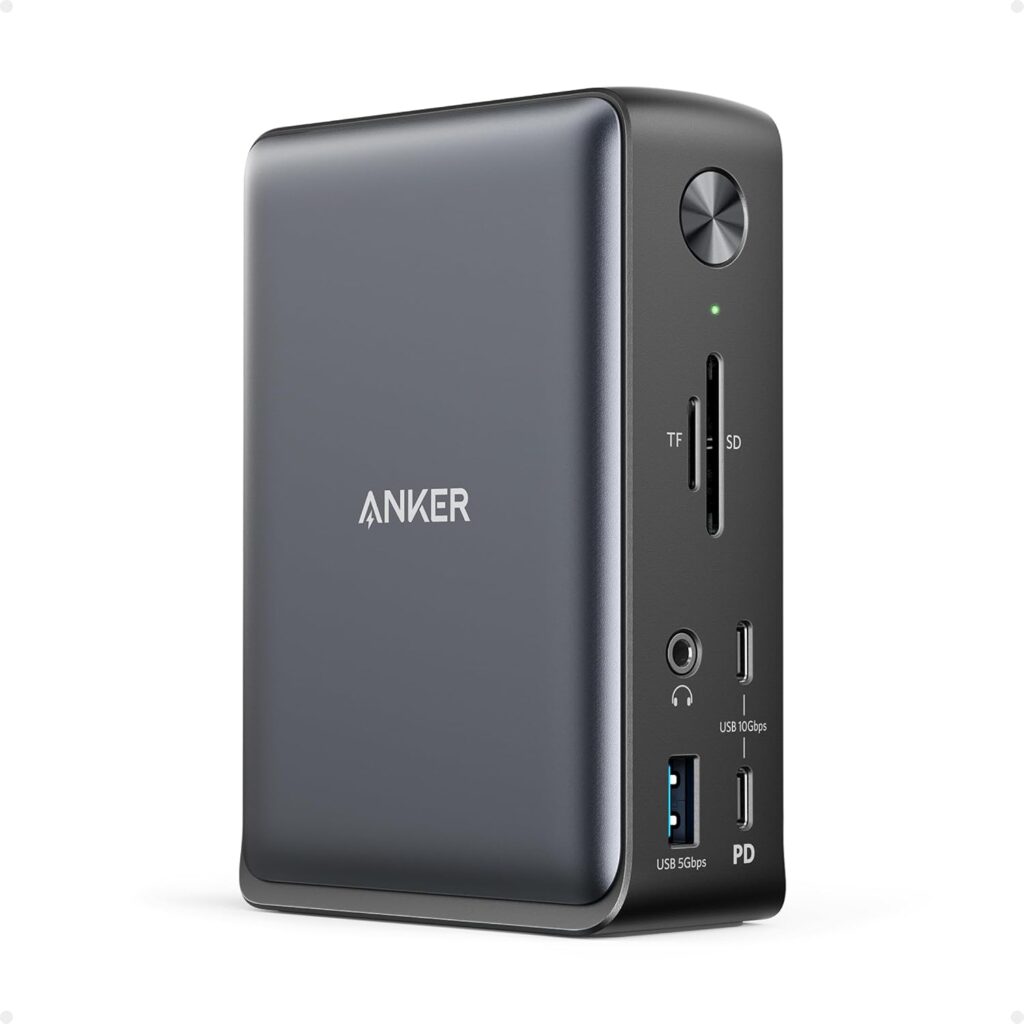
The Anker 575 is a balanced 13-in-1 USB-C dock for users who want a reliable, straightforward solution without high-end pricing.
It covers all the essentials: two HDMI ports, a DisplayPort, three USB-C ports, three USB-A ports, Gigabit Ethernet, SD and microSD card readers, a 3.5mm audio jack and DC input. It charges your laptop at up to 85W and a phone at 18W at the same time, and a 135W power adapter is included.
On Windows and ChromeOS it can run up to three external monitors at 1080p, or a single 4K display at 60Hz. Mac users should note that macOS limits monitors to mirror mode on this dock, although charging and data work normally.
It is not trying to be the most powerful dock. It is designed to be practical and dependable, which suits students, remote workers and anyone who wants a clean setup without complexity. If you need extended multi-monitor support on a Mac, look elsewhere on this list.
Key Features
- 13 ports including 2x HDMI and DisplayPort
- 85W laptop charging plus 18W phone charging
- 135W power adapter included
- Up to 3x 1080p or 1x 4K@60Hz displays
- SD/microSD readers and Gigabit Ethernet
Pros
- Covers every everyday essential
- Power adapter included
- Triple-display support on Windows
- Simple and reliable
Cons
- Mac displays limited to mirror mode
- Multi-monitor setups limited to 1080p
6. Belkin 11-in-1 Pro — Best Compact High-Power Dock
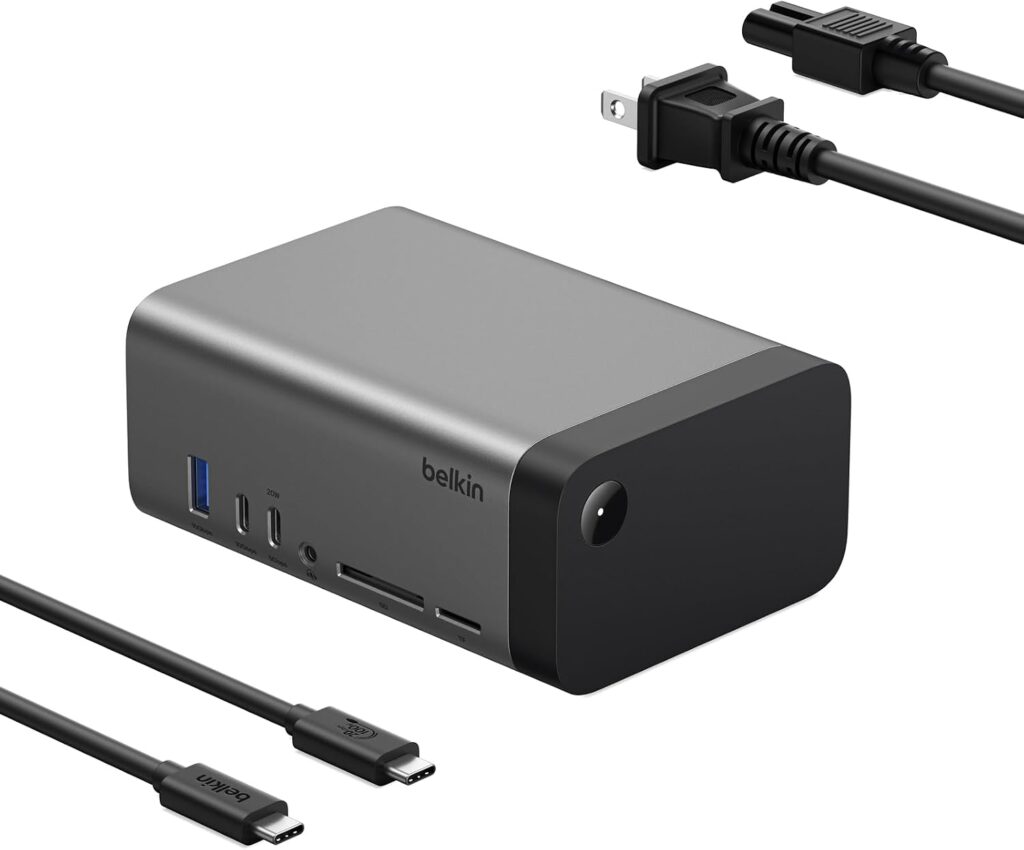
The Belkin 11-in-1 Pro focuses on power efficiency and compact design. It uses GaN technology, which delivers high power output from a smaller, more efficient package.
You get 146W of total power delivery, with up to 96W for your laptop and 50W for other devices, so you can charge your laptop and accessories at the same time. One of its biggest advantages is the built-in power supply, which keeps a separate power brick off your desk.
It supports multiple display setups: a single display up to 8K at 30Hz, dual displays up to 4K at 120Hz or triple displays up to 4K at 60Hz, which suits both work and entertainment. Data transfer speeds reach 10Gbps, more than enough for most workflows.
If you want a powerful yet space-saving dock, it is a strong option. The listing is aimed at Windows laptops, so Mac users should check display compatibility before buying.
Key Features
- GaN technology with built-in power supply
- 146W total: up to 96W to your laptop, 50W to peripherals
- Single 8K@30Hz, dual 4K@120Hz or triple 4K@60Hz
- 10Gbps data transfer
- 11 ports including SD card reader and Ethernet
Pros
- High power in a compact design
- No external power brick
- Flexible display configurations
- High-refresh dual 4K support
Cons
- 10Gbps data is slower than Thunderbolt
- Listing is aimed at Windows laptops
7. Baseus Spacemate — Best Space-Saving Design
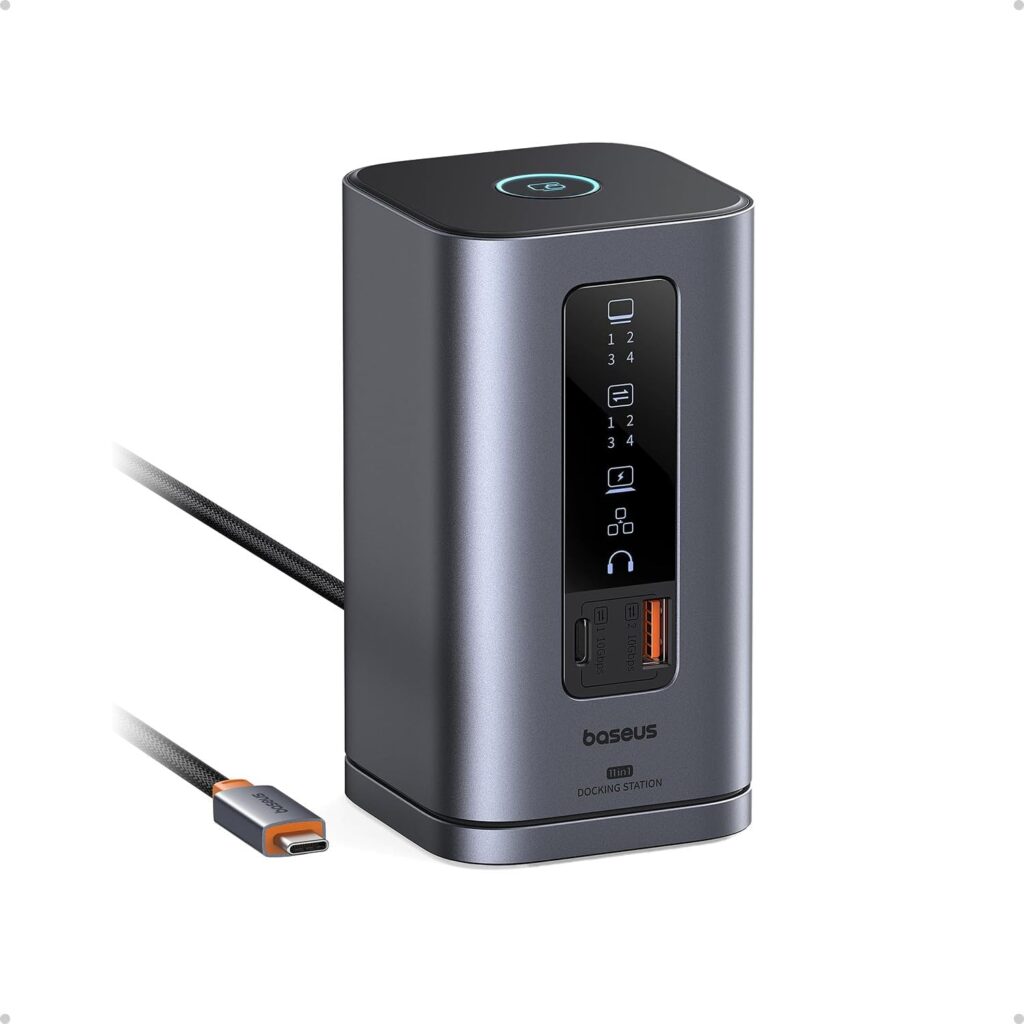
The Baseus Spacemate takes a unique approach to design and usability. Unlike traditional flat docks, it uses an upright vertical design with a magnetic base that saves desk space and helps with cable organization.
A built-in LED screen shows the connection status of each port, which makes managing your setup easier, and a screen-lock button lets you secure sensitive information quickly.
It is an 11-in-1 dock with two HDMI ports, two DisplayPort connectors, a 10Gbps USB-C port, two 10Gbps USB-A ports, a USB 2.0 port, Gigabit Ethernet and a 3.5mm audio jack. It supports up to 85W pass-through charging to your laptop, though you need to supply your own USB-C charger, ideally 100W.
The linked version is the Windows model, which supports triple 4K displays on Windows. Baseus notes that macOS can only extend one display with this version, and it sells a separate macOS model, so Mac users should choose that variant. If you want functionality with a modern, space-saving design, the Spacemate is a great choice.
Key Features
- Upright vertical design with magnetic base
- LED screen showing port connection status
- Triple 4K displays on Windows
- 10Gbps USB-C and USB-A data
- Up to 85W pass-through charging
Pros
- Saves desk space
- Status screen simplifies setup
- Triple 4K on Windows
- Screen-lock button for privacy
Cons
- Charger not included
- This Windows version extends only one display on macOS
How to Choose the Best Laptop Docking Station
The right dock depends on what matters most to you: more ports, better display support, faster speeds or a cleaner setup. Start by checking what your laptop’s port supports.
Connection Type
Thunderbolt 5 docks like the Anker Prime TB5 and Kensington SD5000T5 EQ offer the most bandwidth, but you need a Thunderbolt 5 laptop to get it. Thunderbolt 4 docks like the CalDigit TS4 work with Thunderbolt and USB4 laptops, while USB-C docks such as the Dell UD22, Anker 575, Belkin and Baseus work with most laptops whose USB-C port supports video and charging.
Display Support
Count the monitors you plan to use and check the maximum resolution and refresh rate. Mac users should pay extra attention: macOS often limits multi-monitor extension through standard USB-C docks, so Thunderbolt docks, DisplayLink models or Mac-specific versions are safer choices.
Charging Power
Check how many watts your laptop needs. 85W to 100W covers most ultrabooks and mainstream laptops, while high-performance laptops benefit from 140W docks like the Anker Prime TB5 and Kensington SD5000T5 EQ.
Ports and Networking
List what you connect every day: monitors, drives, card readers, Ethernet, audio and accessories. Creators benefit from fast card readers, and 2.5 Gigabit Ethernet, found on the CalDigit TS4 and Anker Prime TB5, helps with large network transfers.
Power Supply and Desk Space
Some docks include a power adapter, like the Anker 575 and Dell UD22, some build it in, like the Belkin 11-in-1 Pro, and some require your own charger, like the Baseus Spacemate. Vertical and mountable designs help keep your desk tidy.
FAQs
What is the difference between a Thunderbolt dock and a USB-C dock?
Thunderbolt docks offer much higher bandwidth, which means faster file transfers and better multi-monitor support, but they need a Thunderbolt or USB4 laptop for full performance. USB-C docks are more affordable and widely compatible, but they share less bandwidth between displays and devices. For everyday office work, a USB-C dock is usually enough.
Can I connect multiple monitors to a MacBook through a dock?
It depends on the Mac and the dock. macOS often mirrors displays rather than extending them through standard USB-C docks, as with the Anker 575. Thunderbolt docks, DisplayLink-based docks and Mac-specific models handle multiple extended displays more reliably. Always check the dock’s macOS notes and your Mac’s supported number of external displays.
How much charging power does my docking station need?
Match the dock’s laptop charging to your laptop’s charger. Most ultrabooks need 65W or less, many 14- to 16-inch laptops use 85W to 100W, and high-performance models can need 140W or more. A dock that delivers less than your laptop’s charger may still work, but it may charge slowly under heavy load.
Will a docking station work with any laptop?
Most USB-C docks work with any laptop whose USB-C port supports DisplayPort Alt Mode and Power Delivery. Universal docks like the Dell UD22 are designed for mixed-brand environments. Thunderbolt 5 docks work with older USB-C laptops too, but you only get their full speed and display capability with a Thunderbolt 5 host.
What is DisplayLink?
DisplayLink is a technology that sends video over USB using driver software, allowing docks like the Dell UD22 to run more monitors than a laptop’s port normally supports. It is especially useful for Macs and laptops with limited native display outputs, though it requires installing the DisplayLink driver.
Final Verdict
A good docking station is more than an accessory. It upgrades your whole workflow.
Top pick
CalDigit TS4
18 ports, 98W charging and broad compatibility in a future-proof Thunderbolt 4 dock.
Fastest
Anker Prime TB5
Thunderbolt 5 speed, dual 8K support and 140W charging.
Everyday value
Anker 575
All the essential ports and an included power adapter for a clean, simple setup.
If you want maximum performance and future-proof features, the CalDigit TS4 and Anker Prime TB5 are excellent options. If you focus on creative work and multi-display setups, the Kensington SD5000T5 EQ stands out, and for universal compatibility across different laptops, the Dell UD22 is a very practical solution.
For everyday use and clean setups, the Anker 575, Belkin 11-in-1 Pro and Baseus Spacemate all offer great value. Think about what matters most, whether that is more ports, better display support, faster speeds or a tidier desk, and choose the dock that fits.