

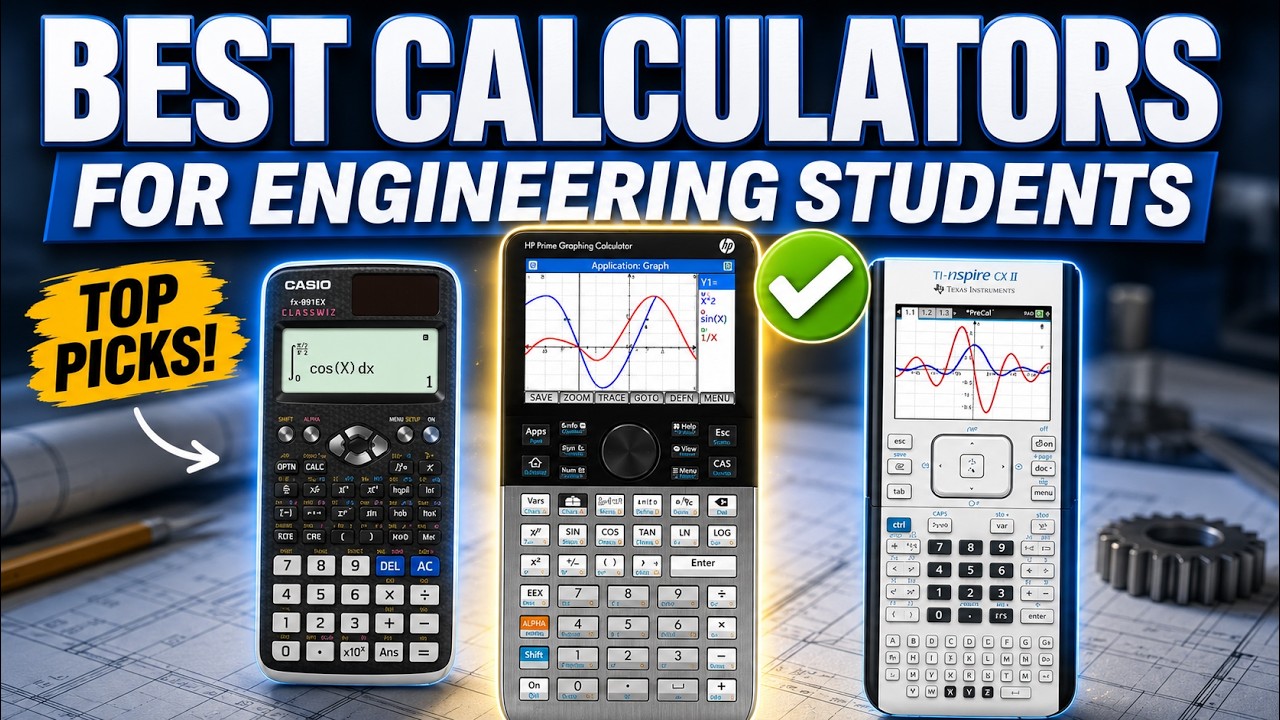
Engineering coursework stacks complexity fast. In a single week you might be working through algebra, trig, calculus, matrices, complex numbers and lab data, and the calculator that got you through high school can start to feel slow and limited the moment college-level problems arrive.
This guide compares the best calculators for engineering students, from affordable scientific models to full color graphing calculators with a computer algebra system (CAS). The picks are based on research, specs and how useful each one is in typical engineering classes. They are judged on how clearly you can enter equations, the engineering tools they include (matrices, calculus functions, graphing), screen readability and navigation, day-to-day practicality, and whether the price and learning curve make sense.
As an Amazon Associate, we earn from qualifying purchases. When you buy through a link on this page we may earn a small commission from the retailer. It costs you nothing extra and does not change our rankings.
Watch the Video
If you would rather watch the full comparison, you can see our video breakdown below.
Quick Picks
- Best Overall (CAS): TI-Nspire CX II CAS
- Most Class-Compatible Graphing Calculator: TI-84 Plus CE
- Best Touchscreen CAS Calculator: HP Prime G2
- Best Color Graphing for Casio Users: Casio FX-CG50 PRIZM
- Best Value Scientific Calculator: Casio fx-991CW
- Best Budget Pick: Casio FX-82SP CW
Product Comparison
| Calculator | Best For | Type | Graphing | CAS | Price |
|---|---|---|---|---|---|
| 1. TI-Nspire CX II CAS | Long-term STEM use | Graphing | Yes | Yes | Check Price |
| 2. TI-84 Plus CE | Classroom compatibility | Graphing | Yes | No | Check Price |
| 3. HP Prime G2 | Touch-based CAS workflow | Graphing | Yes | Yes | Check Price |
| 4. Casio FX-CG50 PRIZM | Casio users who want color graphing | Graphing | Yes | No | Check Price |
| 5. Casio fx-991CW | Engineering math on a budget | Scientific | No | No | Check Price |
| 6. Casio FX-82SP CW | First-year and general math | Scientific | No | No | Check Price |
1. TI-Nspire CX II CAS — Best Overall
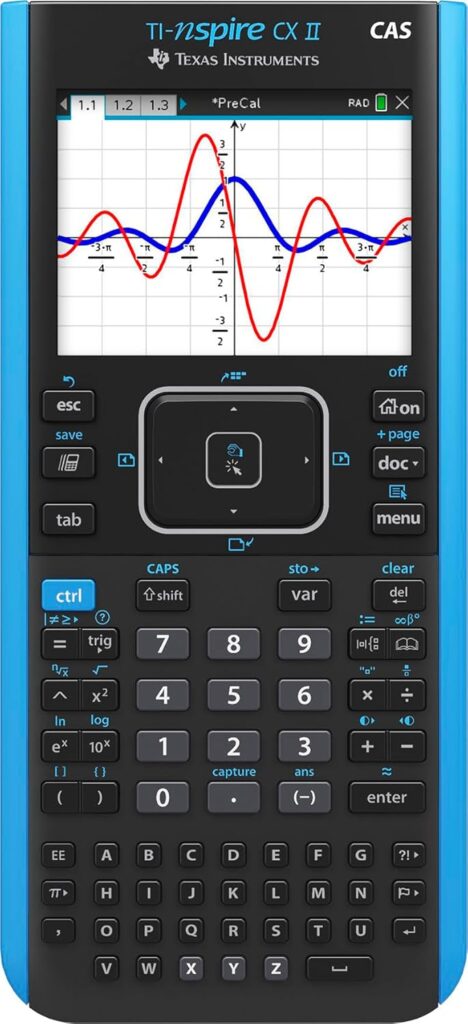
If you want the most future-proof calculator for serious STEM coursework, the TI-Nspire CX II CAS takes the top spot. It combines advanced graphing with a computer algebra system built for higher-level math, not just basic graph plotting, so it stays useful as your classes get harder.
The screen is a big part of the appeal. It is a 3.5-inch color display with 320×240 resolution, 125 DPI and 16-bit color. That matters more than it sounds, because engineering math gets visually dense quickly, and a clearer screen means fewer mistakes when you are checking graphs, tables or several expressions at once. Multiple graph styles and 15 colors help when you are comparing functions or conditions on the same axes.
It also comes as a handheld and software bundle that includes the TI-Nspire CX Student Software, which is useful if you like continuing your work on a computer for assignments or review. Day to day, it is thin and light, uses touchpad navigation, has quick alpha keys for faster variable entry, and runs on a rechargeable battery that can last up to two weeks on a charge.
The trade-offs are a higher price and a learning curve if you are new to Nspire-style navigation. It is best for engineering students who want CAS power and clean visuals in one calculator. If you mainly need standard graphing and the widest classroom support, the TI-84 Plus CE is the simpler choice.
Key Features
- Computer algebra system (CAS) with advanced graphing
- 3.5-inch color screen, 320×240, 125 DPI, 16-bit color
- Includes TI-Nspire CX Student Software (PC/Mac)
- Rechargeable battery rated up to two weeks per charge
- Touchpad navigation and quick alpha keys
- Multiple graph styles with 15 colors
Pros
- CAS support for higher-level math
- Sharp, readable color display
- Student software bundle for computer-based work
- Long rechargeable battery life
Cons
- Higher price than the other picks
- Learning curve if you are new to Nspire navigation
2. TI-84 Plus CE — Most Class-Compatible Graphing Calculator
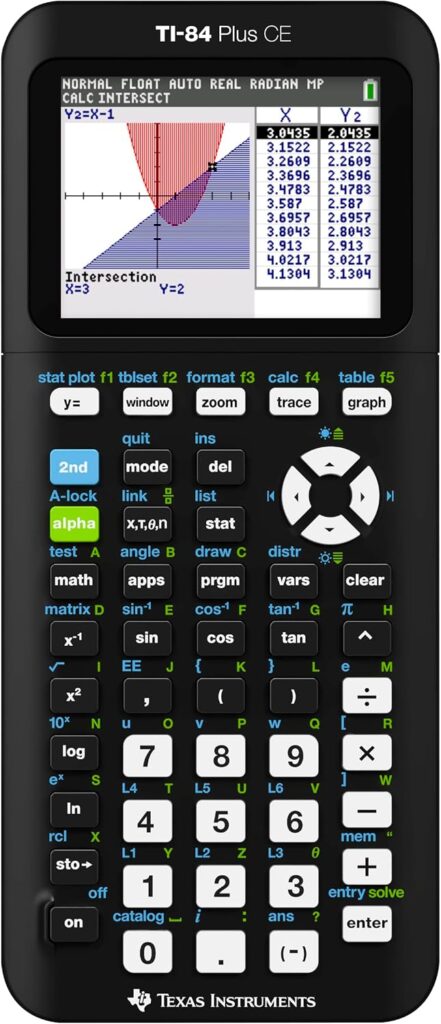
If you want a calculator that is widely recognized and commonly supported in classrooms, the TI-84 Plus CE is the safe pick. For many students it is still the best buy-once-and-be-done option, especially when your school environment strongly supports it.
It has a high-resolution, full-color backlit display that makes long study sessions easier than older monochrome models. Split-screen viewing is more useful than it sounds, because you can see a graph and its related values side by side instead of constantly flipping screens. MathPrint shows expressions closer to textbook format, and multiple interactive zoom features help with graphing work.
Practical details add up too. The rechargeable battery means no hunting for batteries during finals week, and it comes with preloaded apps and images. The biggest advantage, though, is the ecosystem: professors often assume students have one, tutorials and guides are everywhere, and classmates can help instantly. If your professor references TI steps, you will simply learn faster.
It is not the most advanced calculator here and is not designed for deeper symbolic CAS work. It earns its high ranking because it reduces friction. Choose it for dependable graphing, strong classroom compatibility and a straightforward learning curve. If you need CAS, step up to the TI-Nspire CX II CAS or HP Prime G2.
Key Features
- High-resolution, full-color backlit display
- Split-screen view for graphs and values
- MathPrint textbook-style entry
- Rechargeable battery
- Preloaded apps and images
- Interactive zoom features for graphing
Pros
- Widely supported by professors and tutorials
- Easy to learn and get help with
- Handles graphing and standard coursework smoothly
- No disposable batteries to replace
Cons
- Not built for symbolic CAS work
- Less advanced than the Nspire CX II CAS and HP Prime G2
3. HP Prime G2 — Best Touchscreen CAS Calculator
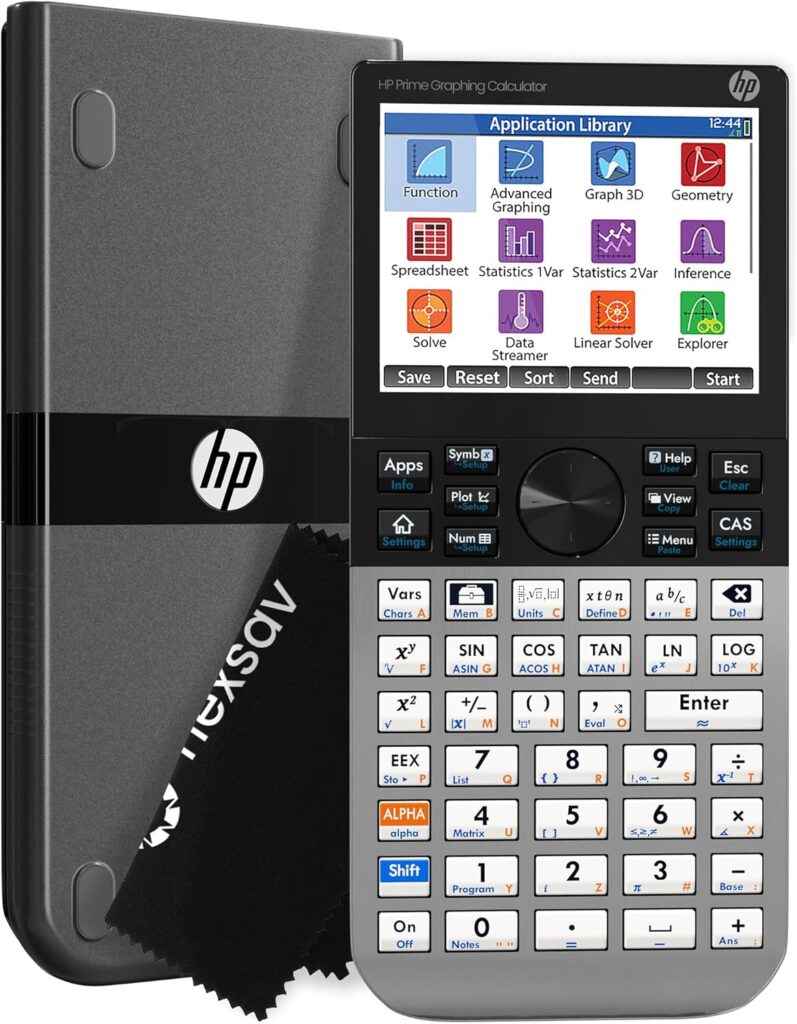
The HP Prime G2 is where calculators start to feel like a mini workstation. It combines advanced graphing with CAS, and dedicated keys let you switch between symbolic, graphical and numerical views. That is useful in higher-level math when you want to verify an answer in more than one form.
Its biggest draw is the display and how you interact with it. The 3.5-inch multi-touch color screen supports pinch-to-zoom and interactive graph manipulation, so you can adjust and visualize functions quickly while you are learning how they behave.
The app selection goes beyond basic graphing, with dynamic geometry, a spreadsheet and RPN support for students who prefer that workflow. It is designed for classroom ecosystems with optional wireless and integration tools, and 256 MB of flash memory leaves plenty of room for programs and configurations.
It is not the cheapest option, and it can take time to learn if you are coming from simpler calculators. It suits engineering students who want a modern, powerful calculator with CAS and a touch-based workflow.
Key Features
- Computer algebra system (CAS) with advanced graphing
- 3.5-inch multi-touch color screen with pinch-to-zoom
- Dedicated keys for symbolic, graphical and numerical views
- Dynamic geometry and spreadsheet apps
- RPN support
- 256 MB flash memory
Pros
- Interactive touch workflow for exploring graphs
- CAS for symbolic work
- Useful built-in apps, including RPN
- Plenty of memory for programs
Cons
- Not the cheapest option
- Takes time to learn coming from simpler calculators
4. Casio FX-CG50 PRIZM — Best Color Graphing for Casio Users
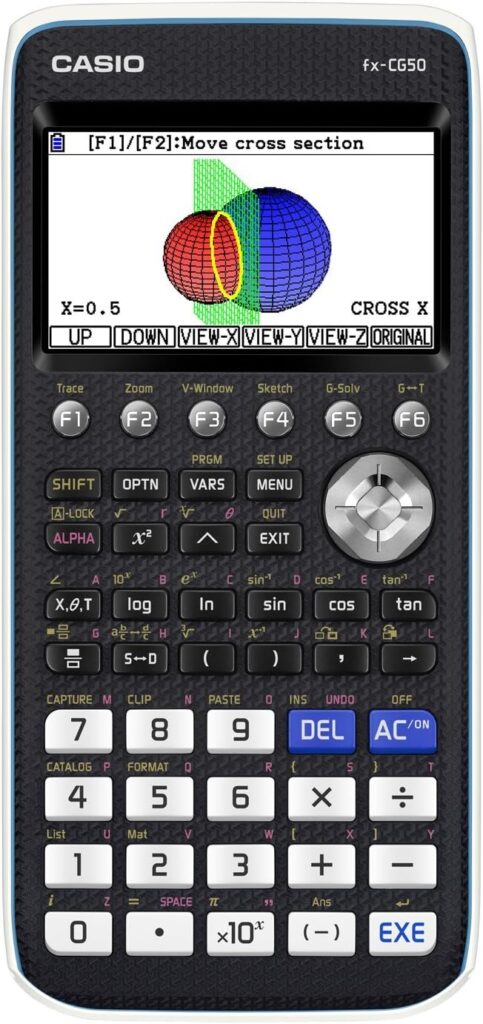
If you like Casio’s interface and want to move up to a color graphing calculator, the Casio FX-CG50 PRIZM is the model engineering students most often compare against the TI lineup.
The main reason to choose it is workflow preference. Some students find Casio’s menus clearer and faster once they are used to them, especially after years on Casio scientific calculators. Moving to the CG50 can feel natural instead of forcing a full adjustment to a new interface.
It is built for graphing-heavy classes where you want on-device graphing, clean function visualization and a system that organizes tools the way Casio users expect. Neither brand is objectively better here. The question is which one helps you work faster and with fewer mistakes.
Choose the FX-CG50 if you want color graphing but prefer Casio’s layout and logic. It does not include CAS, so students who need symbolic algebra should look at the TI-Nspire CX II CAS or HP Prime G2. As with any graphing model, check what your department or exam policy allows before you buy.
Key Features
- Color graphing display
- On-device function graphing and visualization
- Casio-style menu layout and logic
- Familiar workflow for Casio scientific calculator users
Pros
- Natural step up for Casio users
- Clean function visualization
- Well suited to graphing-heavy classes
Cons
- No CAS for symbolic algebra
- Less common in classrooms than the TI-84 Plus CE, so help may be harder to find
5. Casio fx-991CW — Best Value Scientific Calculator
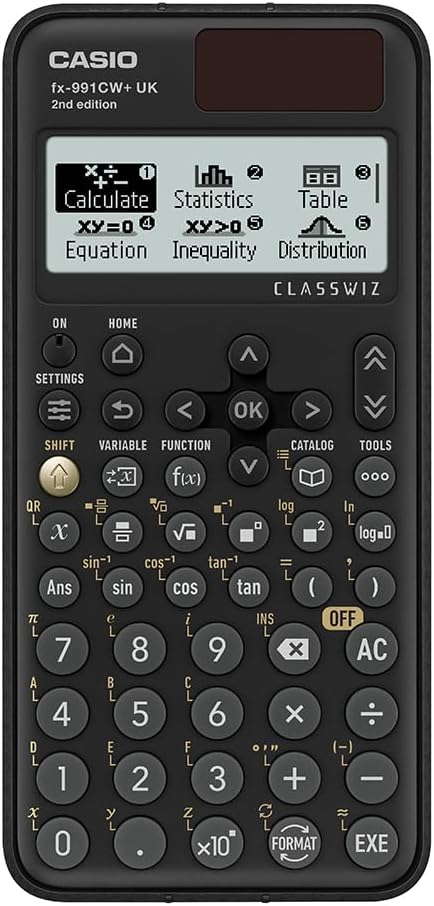
If you want the best value-for-money scientific calculator for engineering-level math, the Casio fx-991CW is the one that stands out. It can carry you through a lot of coursework without forcing you into a graphing model, especially when your classes focus more on calculation than on visual graph analysis.
Casio lists 540 functions, and the ones that matter most in engineering are included: numeric differentiation and integration, 4×4 matrix operations and spreadsheet-style data viewing. That covers a large share of day-to-day engineering homework.
The natural textbook display and clear, higher-resolution screen make it easier to follow what you typed and spot errors quickly, before one wrong symbol throws off the whole answer.
The trade-off is that you do not get on-device graphing like you would with a TI-84 Plus CE or TI-Nspire. It is best for students who want strong engineering features without paying for a full graphing calculator.
Key Features
- Around 540 functions
- Numeric differentiation and integration
- 4×4 matrix operations
- Spreadsheet-style data view
- Natural textbook display on a higher-resolution screen
Pros
- Strong engineering functions for the price
- Clear display that helps catch input errors
- Covers much of the coursework without a graphing model
Cons
- No on-device graphing
- No CAS for symbolic work
6. Casio FX-82SP CW — Best Budget Pick
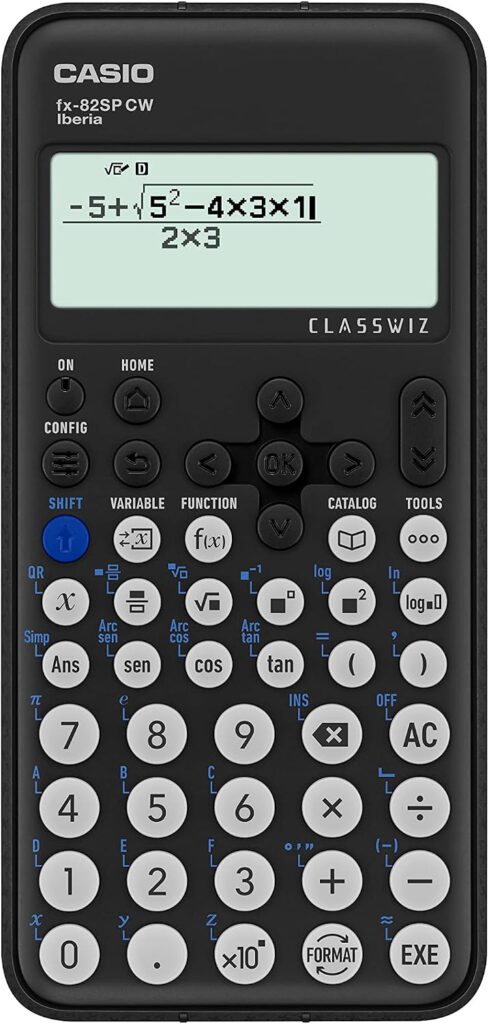
If you want a straightforward, no-stress scientific calculator that still handles core math well, the Casio FX-82SP CW is a solid starting point.
Its natural textbook display shows fractions, roots and symbols the way they appear in your textbook, which reduces careless input mistakes when you are working fast. The multi-line high-resolution display lets you see more of your expression and edit it without constant backtracking.
It is not a power tool, but it is a dependable option for general coursework such as trig, basic statistics and everyday engineering calculations. A bonus is the QR code function, which can help with visual learning by letting you see what a result looks like in a graphing environment.
It suits first-year students, prep classes, general math and anyone who wants a low-cost, practical tool. It is not built for deeper calculus tools or advanced matrix work, so step up to the fx-991CW if your courses need them.
Key Features
- Natural textbook display
- Multi-line high-resolution screen
- Covers trig, basic statistics and general calculations
- QR code function for visualizing results
Pros
- Low-cost and easy to use
- Textbook-style display reduces input mistakes
- Easy to review and edit expressions
Cons
- No deeper calculus tools
- Not built for advanced matrix workflows
How to Choose the Best Calculator for Engineering Students
The right calculator depends on your major, your courses and, above all, what your exams allow. These are the factors worth weighing.
Scientific, Graphing or CAS
A scientific calculator like the Casio fx-991CW handles most numeric engineering work, including matrices and numeric calculus, at a low price. A graphing calculator such as the TI-84 Plus CE or Casio FX-CG50 adds on-device graphs, which helps in calculus, differential equations and data-heavy classes. A CAS model like the TI-Nspire CX II CAS or HP Prime G2 can also manipulate expressions symbolically, which is powerful for higher-level math and checking work.
Exam and Department Rules
This is often the deciding factor. Many courses and standardized exams restrict graphing or CAS calculators, and some allow only specific scientific models. Check your syllabus, department policy and any licensing exam you plan to take before you buy, and consider owning an approved scientific calculator alongside a graphing model.
Engineering Features You Will Actually Use
Look for the tools your courses rely on: matrix operations, numeric differentiation and integration, complex numbers, statistics and data tables. More functions only help if they are easy to reach, so menu layout matters as much as the feature list.
Screen and Equation Entry
Textbook-style entry (Casio’s natural textbook display or TI’s MathPrint) reduces input errors, and a sharper color screen makes dense graphs and long expressions easier to check. Multi-line and split-screen views save time when you need to compare results.
Ecosystem and Learning Curve
A calculator your professor and classmates already use is easier to learn, because help and tutorials are everywhere. That is the TI-84 Plus CE’s biggest advantage. If you already know Casio menus, staying with Casio can be faster than switching.
Power and Everyday Practicality
Rechargeable models such as the TI-84 Plus CE, TI-Nspire CX II CAS and HP Prime G2 save you from buying batteries, but you need to keep them charged before exams. Size, weight and a protective cover also matter for a calculator you carry every day.
FAQs
Do engineering students need a graphing calculator?
Not always. Many engineering classes are mostly numeric, and a strong scientific calculator like the Casio fx-991CW covers matrices, numeric calculus and data work. A graphing calculator becomes more valuable in calculus, differential equations and classes where visualizing functions helps. Check your course requirements first, since some instructors require or ban graphing models.
What is a CAS calculator, and do I need one?
A computer algebra system (CAS) lets a calculator work with symbols, not just numbers, so it can simplify expressions, solve equations symbolically and help verify algebra and calculus steps. The TI-Nspire CX II CAS and HP Prime G2 both include CAS. It is useful for higher-level math, but CAS calculators are banned on some exams, so confirm what is allowed.
Which calculator can I use on the FE exam?
The NCEES FE exam allows only a short list of approved models, and graphing and CAS calculators are not permitted. NCEES has approved all Casio fx-115 and fx-991 models, which makes the fx-991CW family a popular choice. Always check the current NCEES calculator policy before exam day, because the list can change.
Is the TI-84 Plus CE still worth buying?
For many students, yes. It is not the most advanced calculator, but it is easy to learn, widely supported by professors and classmates, and handles graphing and standard coursework smoothly. It also has a rechargeable battery and a color backlit display. If you need symbolic CAS tools, the TI-Nspire CX II CAS is the step up.
TI or Casio: which is better for engineering?
Neither is objectively better. TI calculators have the widest classroom support, so help is easy to find. Casio’s menus feel clearer and faster to many students, especially if they already use a Casio scientific calculator. Choose the one that lets you work faster with fewer mistakes, and that your exams allow.
Final Verdict
The right pick depends on your courses, your budget and what your exams allow.
Top pick
TI-Nspire CX II CAS
The best all-around long-term pick, with CAS, a sharp color screen and student software.
Best value
Casio fx-991CW
Matrices, numeric calculus and a clear display without paying for graphing.
Best budget
Casio FX-82SP CW
A simple, low-cost scientific calculator for first-year and general math.
If you are still deciding, here is the simplest way to choose:
- For simple and budget-friendly, go with the Casio FX-82SP CW.
- For the best-value scientific calculator for engineering math, the Casio fx-991CW is hard to beat.
- For the most class-compatible graphing calculator, the TI-84 Plus CE is the safe move.
- If you prefer Casio but want color graphing, look at the Casio FX-CG50 PRIZM.
- For a modern, powerful calculator with a touch workflow, the HP Prime G2 is a serious upgrade.
- For the best all-around long-term pick with CAS, the TI-Nspire CX II CAS is the top choice.