

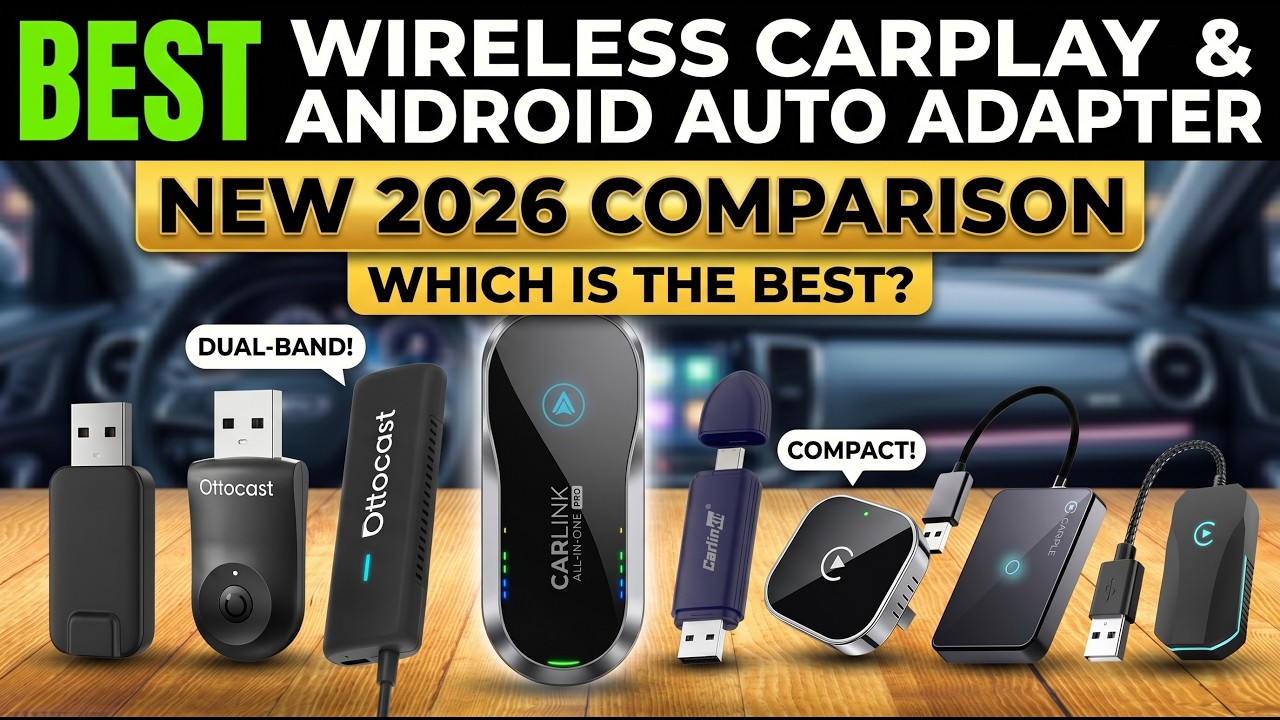
CarPlay and Android Auto changed how we use navigation, music, calls and messages in the car. But plugging in a cable every time you get in for a quick errand or short commute feels outdated. Most drivers just want maps and music to appear the moment the engine starts, with no wires and no extra steps.
That is why wireless adapters have become such a popular upgrade, but they are not all equal. Some disconnect randomly, some lag, some take ages to boot, and some do not get along with certain cars or phones. This guide compares the best wireless CarPlay and Android Auto adapters based on connection stability, startup speed, audio quality, real-world reliability and compatibility, covering Android-only adapters, iPhone-only adapters and 2-in-1 models for shared cars.
As an Amazon Associate, we earn from qualifying purchases. When you buy through a link on this page we may earn a small commission from the retailer. It costs you nothing extra and does not change our rankings.
Watch the Video
If you would rather watch the full comparison, you can see our video breakdown below.
Before you buy: every adapter here requires a car that already supports factory-wired CarPlay or Android Auto. They make an existing wired system wireless; they do not add CarPlay or Android Auto to a car that lacks it.
Quick Picks
- Best Customization and Control: AAWireless TWO
- Best Compact Plug-and-Play Adapter: Ottocast Mini Cube 3.0
- Best for Shared Cars: Carlinkit 5.0 (2air)
- Best Android Stability: Motorola MA1
- Fastest for iPhone Users: Ottocast U2-AIR
- Best Flush-Fit Design for Harsh Conditions: Teeran 2-in-1
Product Comparison
| Adapter | Platforms | Best For | Standout | Price |
|---|---|---|---|---|
| 1. AAWireless TWO | Android Auto | Android power users | Companion app with Wi-Fi tuning | Check Price |
| 2. Ottocast Mini Cube 3.0 | CarPlay + Android Auto | Fast, compact setup | About 10s connect, 5s reconnect | Check Price |
| 3. Carlinkit 5.0 (2air) | CarPlay + Android Auto | Families and shared cars | Remembers up to 5 phones | Check Price |
| 4. Motorola MA1 | Android Auto | Simple, stable Android use | Google-licensed bridge technology | Check Price |
| 5. Ottocast U2-AIR | CarPlay | iPhone users | Startup as fast as 7 seconds | Check Price |
| 6. Teeran 2-in-1 | CarPlay + Android Auto | Clean look, harsh climates | Flush-fit design | Check Price |
Startup times are manufacturer figures and vary by car, phone and head unit.
1. AAWireless TWO — Best Customization and Control
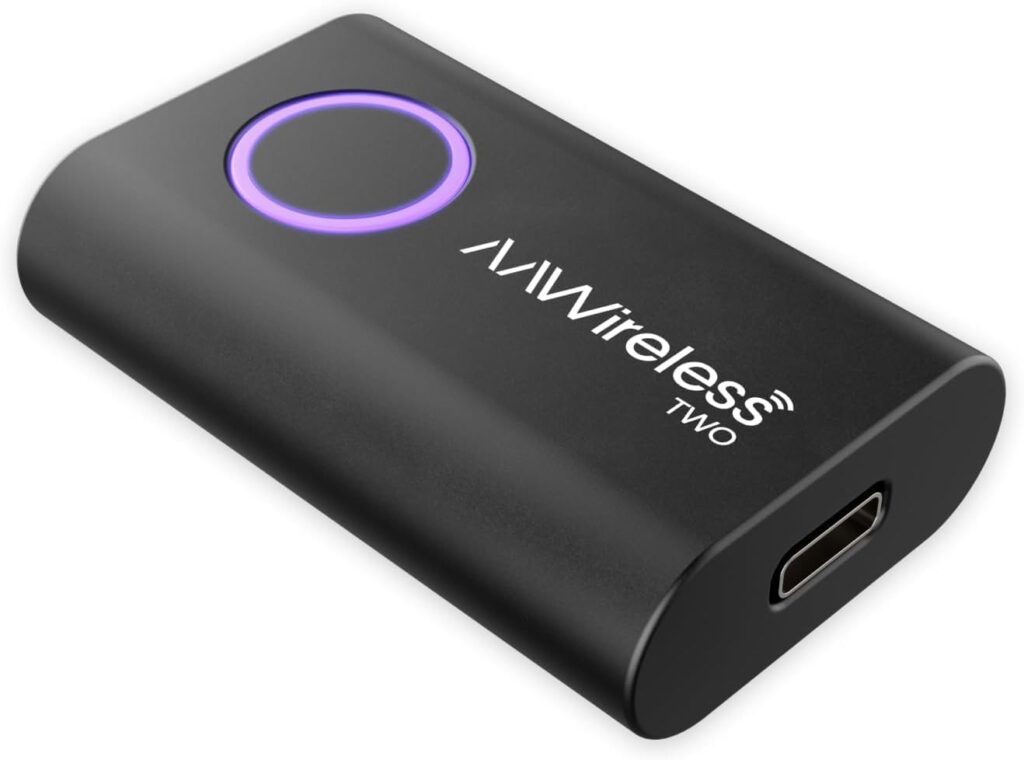
AAWireless pioneered wireless Android Auto adapters, and the AAWireless TWO is its refined, stability-focused upgrade for drivers who want control and reliability.
It is a dedicated wireless Android Auto adapter, so it only works with cars and head units that support wired Android Auto, and with phones running Android 11 or newer. It uses Bluetooth and Wi-Fi to create a clean bridge between your phone and your infotainment system, with an engineering focus on consistent performance rather than flashy extras.
The companion app is the real differentiator. Most adapters are strictly plug-and-play, which is fine until something goes wrong. The AAWireless app lets you fine-tune Wi-Fi channels and connection behavior, which can reduce dropouts in busy cities, parking garages and other places crowded with Wi-Fi networks. The app also handles updates and troubleshooting, and a multifunction button makes pairing and switching phones easy.
It is built for Android users who want a professional-grade experience and do not mind adjusting settings when needed. If you would rather never open an app, the Motorola MA1 is the simpler choice.
Key Features
- Wireless Android Auto for cars with wired Android Auto
- Requires Android 11 or newer
- Companion app for Wi-Fi tuning, updates and troubleshooting
- Multifunction button for pairing and switching phones
- Connects multiple phones
Pros
- Deep control over connection settings
- Helps reduce dropouts in crowded Wi-Fi areas
- Regular updates through the app
- Easy phone switching
Cons
- Android Auto only
- Tweaking settings may not suit everyone
2. Ottocast Mini Cube 3.0 — Best Compact Plug-and-Play Adapter
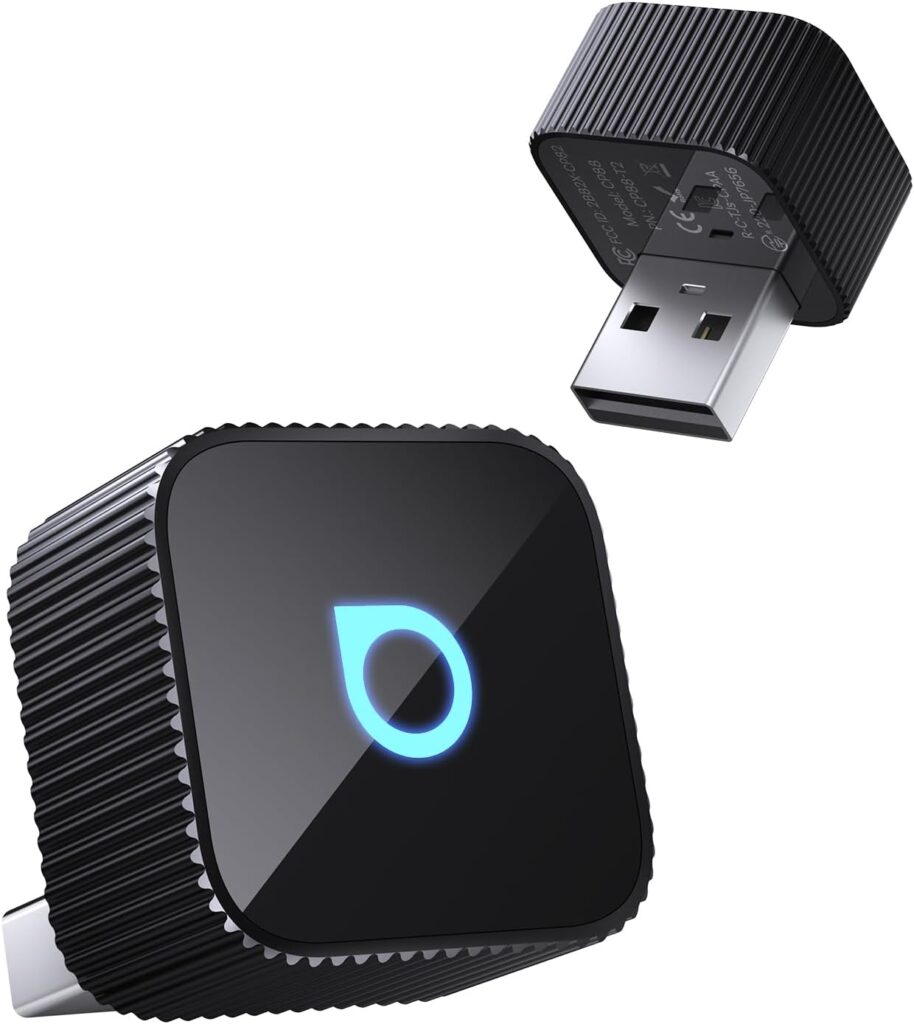
If your biggest frustration with wireless adapters is waiting in the driveway for your screen to load, the Ottocast Mini Cube 3.0 deserves attention. It is one of the smallest adapters available, and it supports both wireless CarPlay and wireless Android Auto.
Inside that tiny shell is a next-generation chip paired with 5GHz Wi-Fi and Bluetooth 4.2. Ottocast rates it at about 10 seconds to connect and about 5 seconds to reconnect once paired, which keeps short trips from feeling like a chore.
Audio quality is where it quietly shines. Ottocast emphasizes higher-quality audio transmission than standard Bluetooth setups, which makes a difference if you care about sound clarity through your car’s speakers.
According to Ottocast, it works with about 98% of vehicles with wired CarPlay or Android Auto, but it is not compatible with BMW or Tesla. If you want something fast, compact and reliable without extra configuration, it is an excellent install-it-once-and-forget-it option.
Key Features
- Wireless CarPlay and Android Auto
- 5GHz Wi-Fi, Bluetooth 4.2 and next-gen chip
- About 10-second connection and 5-second reconnection (manufacturer figures)
- Very compact design
- Works with about 98% of wired CarPlay/Android Auto cars (not BMW or Tesla)
Pros
- Fast startup and reconnection
- Tiny footprint
- No configuration needed
- Supports both iPhone and Android
Cons
- Not compatible with BMW or Tesla
- Fewer tuning options than app-based adapters
3. Carlinkit 5.0 (2air) — Best for Shared Cars
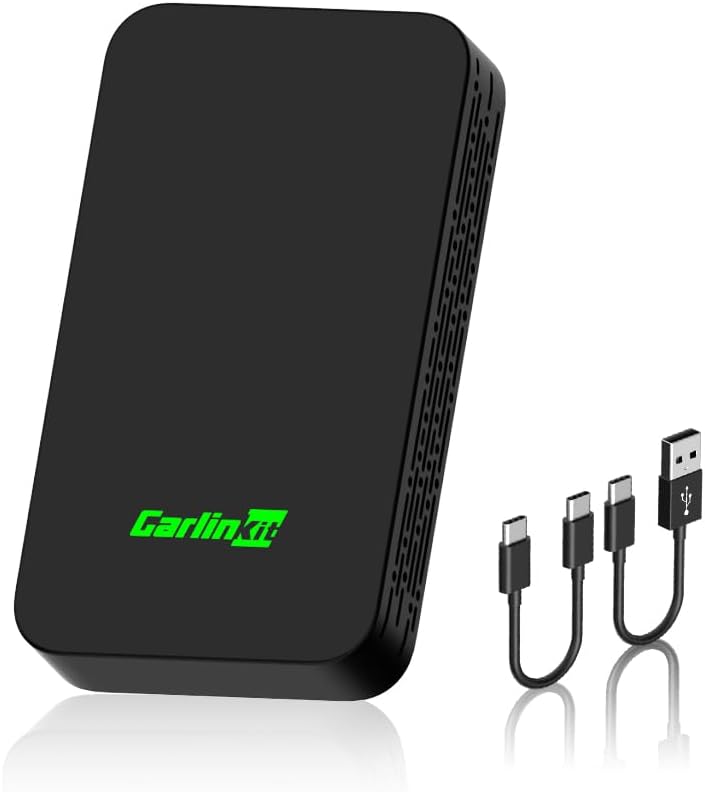
Carlinkit’s 5.0, also known as the 2air, is often considered the most versatile adapter on the market. It supports both wireless CarPlay and wireless Android Auto, converting a wired system into a wireless one without locking you into a single platform.
Multi-device support is the highlight. It can remember up to five phones and automatically connects to the one it recognizes when you get in the car, which makes it ideal for households where different drivers use different phones.
A browser-based settings panel handles firmware updates, helping maintain compatibility as Apple and Google release new software. It keeps your car’s native controls working, including steering wheel buttons, the touchscreen and the original microphone and speakers, and it comes with both USB-A and USB-C cables.
It works with most vehicles from around 2017 to 2024 and requires almost no setup. Keep in mind that it is not compatible with BMW or Tesla (the video also flags Nissan), it will not convert a CarPlay-only system into Android Auto or vice versa, and it does not support video streaming apps.
Key Features
- Wireless CarPlay and Android Auto
- Remembers up to five phones
- Browser-based settings and online firmware updates
- Retains steering wheel controls, touchscreen, mic and speakers
- USB-A and USB-C cables included
Pros
- Excellent for multi-driver households
- Automatic phone recognition
- Regular firmware updates
- Minimal setup
Cons
- Not compatible with BMW or Tesla
- No cross-platform conversion or video streaming
4. Motorola MA1 — Best Android Stability
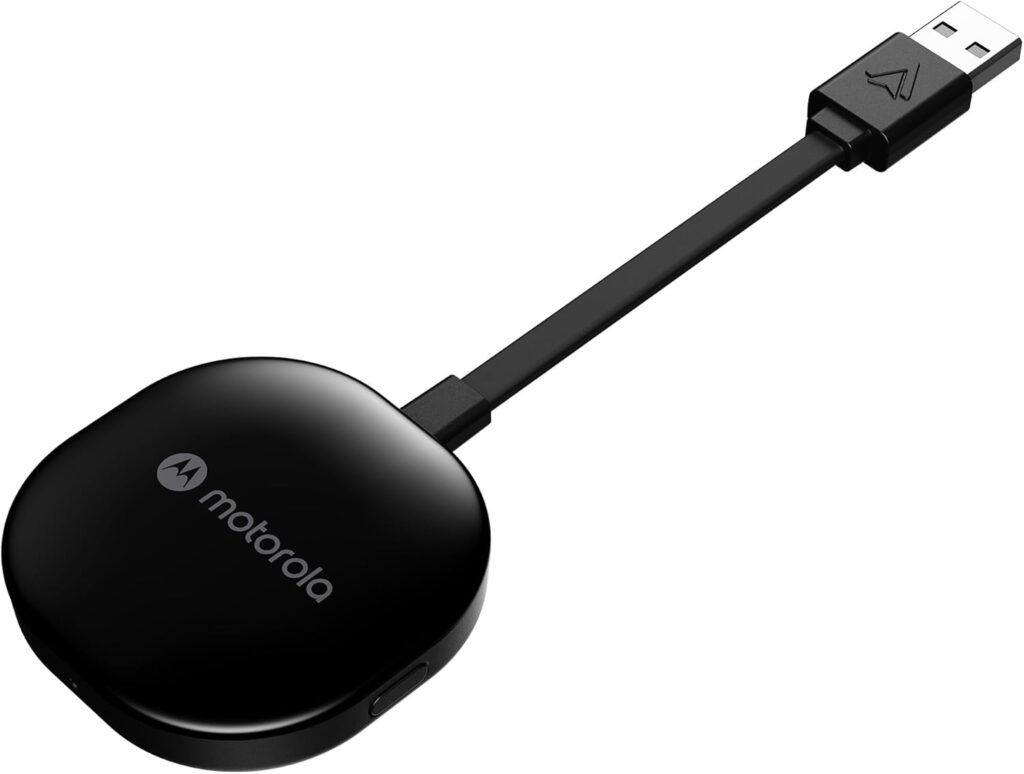
If you prefer trusted brands and minimal setup, the Motorola MA1 is hard to ignore. Motorola built it using Google-licensed bridge technology, and it was the first wireless Android Auto adapter to do so. In simple terms, it talks to your car using Google’s own protocols, which results in a very native-feeling experience.
It runs on 5GHz Wi-Fi, which is important for smooth navigation and responsive touch input on your car’s screen.
Simplicity is the point. There is no companion app, no hidden menus and no tuning. You plug it in, pair once and it works. Motorola even includes a small gel pad to stop the adapter sliding around your center console, and it works in cars, trucks and motorcycles with factory-fitted wired Android Auto.
It is strictly for Android phones running Android 11 or newer and vehicles with wired Android Auto. If you want the most stable, no-nonsense wireless Android Auto experience that feels officially supported, it is one of the safest purchases you can make. Power users who want to tune connection settings should consider the AAWireless TWO.
Key Features
- Google-licensed wireless Android Auto bridge
- 5GHz Wi-Fi
- No app or configuration required
- Gel pad to keep it in place
- For Android 11+ and factory wired Android Auto
Pros
- Native-feeling, officially licensed experience
- Very simple setup
- Stable 5GHz connection
- Trusted brand
Cons
- Android Auto only
- No app for troubleshooting or tuning
5. Ottocast U2-AIR — Fastest for iPhone Users
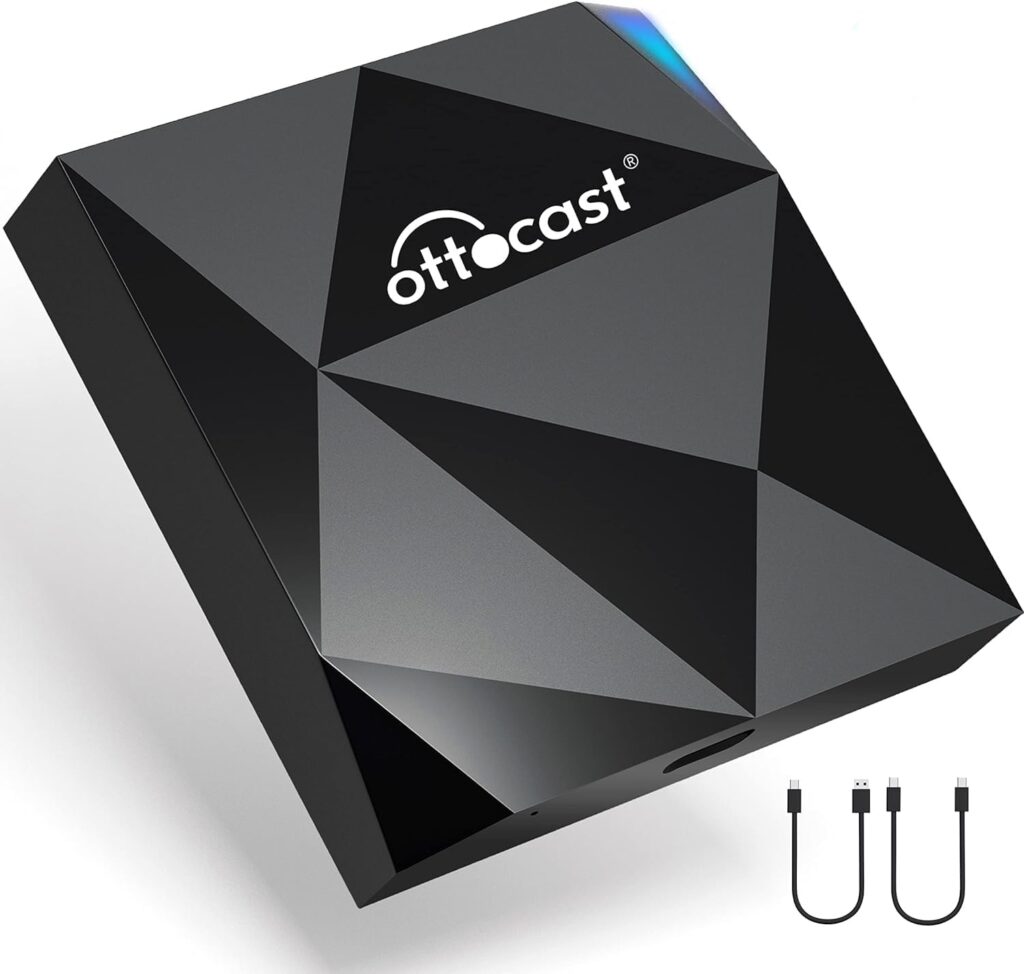
If you are fully invested in the Apple ecosystem and want the quickest possible CarPlay startup, the Ottocast U2-AIR is built for exactly that.
Unlike multi-platform adapters, it focuses only on wireless CarPlay. That specialization helps it boot very quickly, with Ottocast citing startup times as fast as 7 seconds on higher-end infotainment systems.
Once paired, everything is automatic. Your iPhone can stay in your pocket or bag, and CarPlay connects as soon as the car starts. Factory controls keep working, including steering wheel buttons, Siri voice commands and rotary knobs like those found in Mazda vehicles. It includes both USB-A-to-C and USB-C-to-C cables.
It suits iPhone users who want a premium, hands-off experience with minimal lag, and it supports most vehicles with factory-wired CarPlay from roughly 2016 to 2022. BMW owners will need an alternative, and Android users should look at a 2-in-1 model instead.
Key Features
- Wireless CarPlay only
- Startup as fast as 7 seconds (manufacturer figure)
- Automatic connection when the car starts
- Keeps steering wheel controls, Siri and rotary knobs working
- USB-A-to-C and USB-C-to-C cables included
Pros
- Very fast CarPlay startup
- Completely hands-off after pairing
- Works with factory controls
- Compact design
Cons
- iPhone and CarPlay only
- Not for BMW vehicles
6. Teeran 2-in-1 — Best Flush-Fit Design for Harsh Conditions
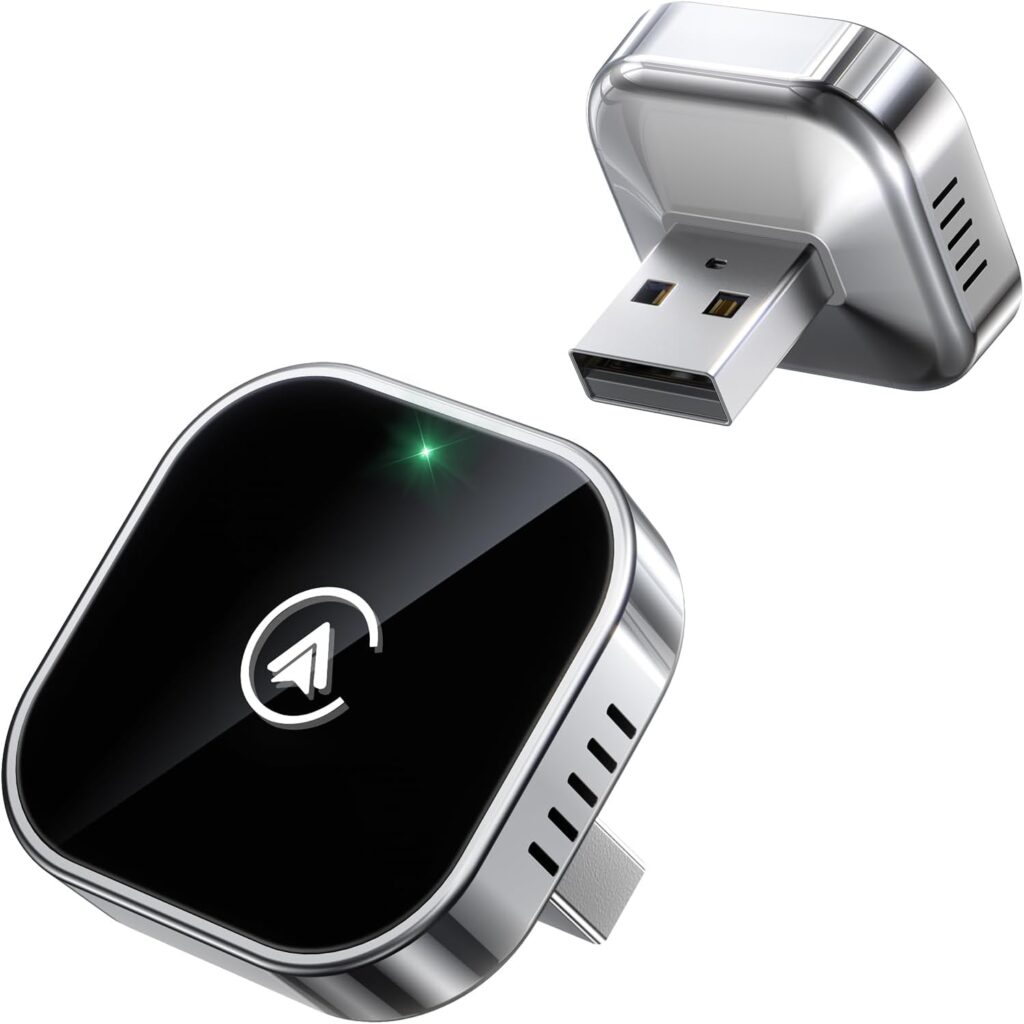
The Teeran 2-in-1 stands out not because of flashy features, but because it feels designed for everyday life. It supports both wireless CarPlay and wireless Android Auto in a compact, flush-fit design that sits tightly in the USB port and looks almost factory-installed instead of dangling from a cable.
Heat resistance is a major strength. Many small adapters struggle in extreme temperatures, but the Teeran is rated to operate from -20°C to 70°C, which makes it a strong choice for hot summers, long road trips and cold climates.
Teeran says it works with over 1,000 vehicle models, including 800+ with wired CarPlay and 500+ with wired Android Auto, and it supports iPhone 6 or later and Android 11 or newer. There is no app to set up: pair once over Bluetooth and it reconnects automatically, using dual-band 2.4GHz and 5GHz chips.
If you care about a clean interior look and long-term reliability in harsh conditions, it is an excellent option, and it works well as a shared solution for households with both iPhone and Android users.
Key Features
- Wireless CarPlay and Android Auto
- Flush-fit design
- Rated for -20°C to 70°C operation
- Works with 1,000+ vehicle models
- Dual-band 2.4GHz and 5GHz, no app required
Pros
- Clean, factory-like look
- Handles extreme temperatures
- Good for mixed iPhone and Android households
- Simple setup
Cons
- No companion app for tuning
- Less established brand than Motorola or Ottocast
How to Choose the Best Wireless CarPlay and Android Auto Adapter
Your car must already support factory-wired CarPlay or Android Auto for any of these adapters to work. After that, focus on these factors.
Platform Support
Android-only adapters like the Motorola MA1 and AAWireless TWO, and the CarPlay-only Ottocast U2-AIR, are specialized for one platform. 2-in-1 models like the Carlinkit 5.0, Ottocast Mini Cube 3.0 and Teeran support both, which matters in households with iPhone and Android drivers. None of them convert a CarPlay-only car into Android Auto, or vice versa.
Vehicle and Phone Compatibility
Check the manufacturer’s compatibility list for your make, model and year. Several adapters here exclude BMW and Tesla, and Android adapters generally require Android 11 or newer.
Startup Speed and Stability
Fast boot and reconnection times make short trips painless. 5GHz Wi-Fi helps with smooth navigation and responsive touch input, and adapters with apps, like the AAWireless TWO, let you tune settings if you get dropouts.
Multi-Phone Support
If several people drive the same car, look for an adapter that remembers multiple phones and connects automatically, like the Carlinkit 5.0, which remembers up to five devices.
Updates and Durability
Firmware updates help maintain compatibility as Apple and Google update their software. Temperature ratings matter too, since adapters sit in hot and cold cars all year.
FAQs
Will a wireless adapter work in my car?
Only if your car already supports wired CarPlay or Android Auto from the factory. These adapters convert a wired connection into a wireless one; they cannot add CarPlay or Android Auto to a car that does not have it. Check the adapter’s compatibility list, since some models exclude brands such as BMW and Tesla.
Is there lag with wireless CarPlay and Android Auto adapters?
A small amount of delay is normal compared with a wired connection, but good adapters using 5GHz Wi-Fi keep navigation and touch input smooth. Startup and reconnection speeds vary by adapter, car and phone, so figures like the U2-AIR’s 7-second startup are best-case manufacturer numbers.
Can one adapter work with both iPhone and Android phones?
Yes, 2-in-1 adapters like the Carlinkit 5.0, Ottocast Mini Cube 3.0 and Teeran support both wireless CarPlay and wireless Android Auto. They still only work with the system your car supports, so a CarPlay-only car will only offer CarPlay.
Does wireless CarPlay or Android Auto drain my phone battery?
Wireless connections use Bluetooth and Wi-Fi, and your phone is not charging through the cable, so the battery will drain faster than when plugged in. On longer drives, a wireless charging pad or a separate charger helps keep your phone topped up.
Can I use these adapters to stream video?
Generally no. These adapters mirror CarPlay and Android Auto, which do not support video apps like YouTube or Netflix while driving. Carlinkit notes, for example, that the 5.0 does not support video streaming.
Final Verdict
Cutting the cord is one of the simplest upgrades you can make to your daily drive.
Android stability
Motorola MA1
Google-licensed, plug-and-play wireless Android Auto with no setup.
Shared cars
Carlinkit 5.0 (2air)
CarPlay and Android Auto with automatic recognition of up to five phones.
Fastest for iPhone
Ottocast U2-AIR
Quick CarPlay startup with a hands-off, automatic connection.
- Best Android stability: Motorola MA1
- Best customization and control: AAWireless TWO
- Best for shared cars: Carlinkit 5.0 or Teeran 2-in-1
- Fastest for iPhone users: Ottocast U2-AIR
- Fast, compact 2-in-1 option: Ottocast Mini Cube 3.0
Just remember that your car must already support factory-wired CarPlay or Android Auto for any of these adapters to work.